Authentication Keys
To integrate the Third-Party Payments API, you must always keep in mind that there are authentication keys. These keys are how Wompi identifies you as a merchant when processing payments and, in general, interacting with our services. Below you will find a detailed explanation of the types of keys that exist.
You must have previously completed the Third-Party Payments activation process
Locate the API keys
We have two types of keys which are used to provide security when making requests: API Key and Principal User ID.
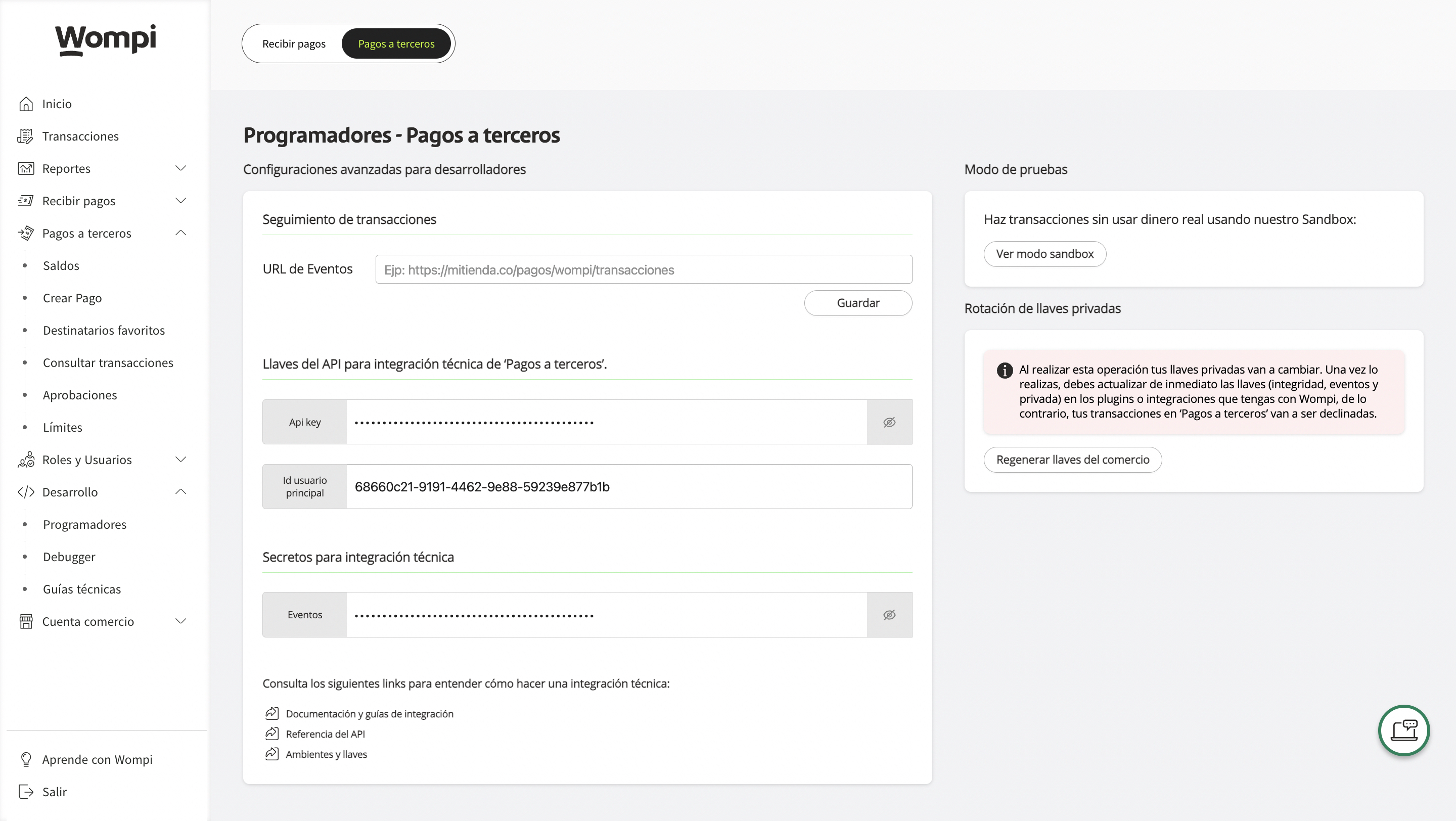
- Log in to your main account in our merchant dashboard.
- Find and select the Development option in the main menu.
- Within Development, choose the Developers option.
- In the upper left, select Third-Party Payments.
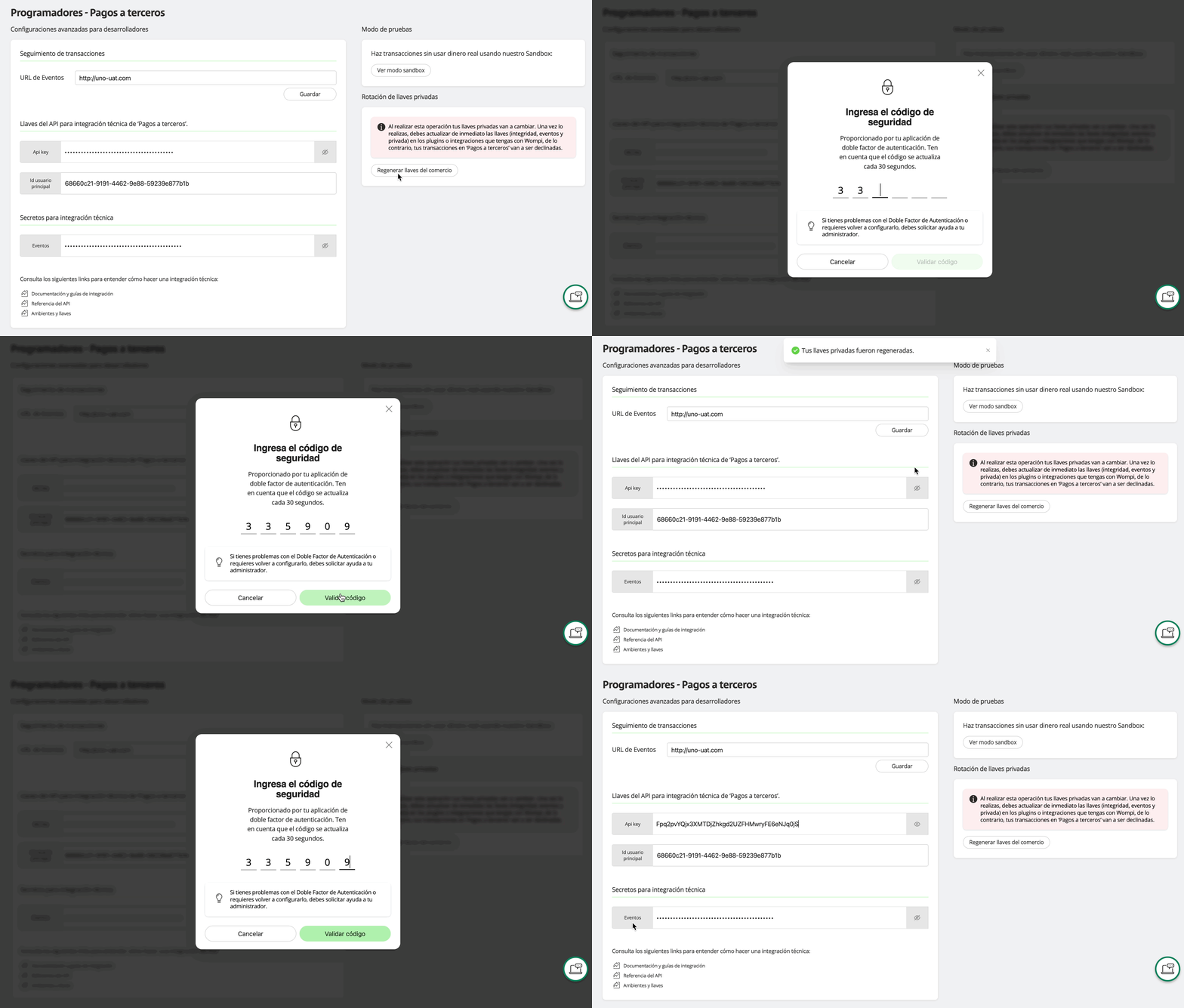
- In this view, you will find the API Keys for the technical integration of 'Third-Party Payments'. These keys are unique to your business and are essential for making requests to our API.
Until you have the Third-Party Payments product active, the option to view the keys will not be shown in the Developers section
Get the API Key
-
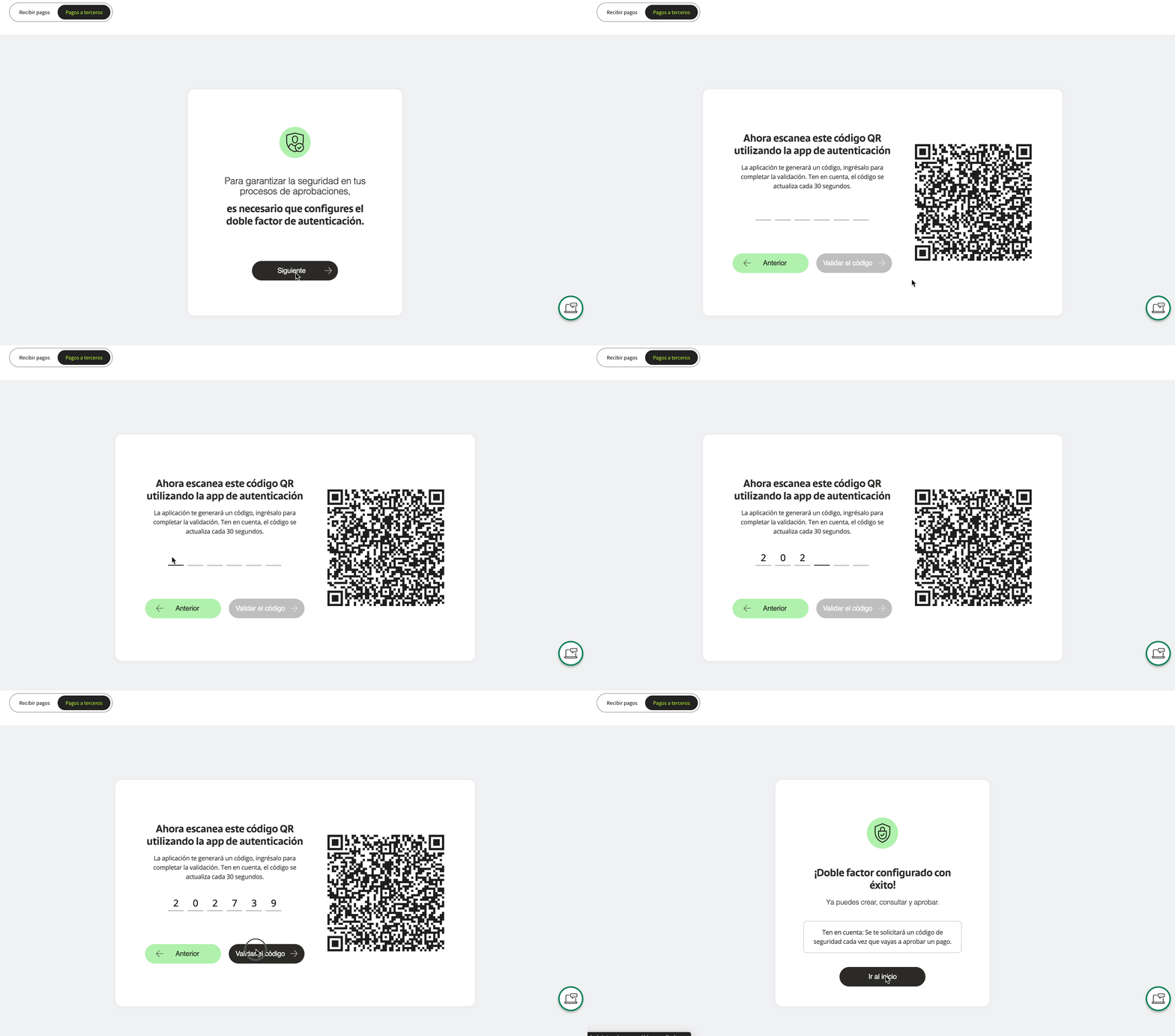
Two-Factor Authentication: If you haven't yet configured two-factor authentication (2FA), you will be redirected to a setup process. Follow the instructions shown on the screen:
-
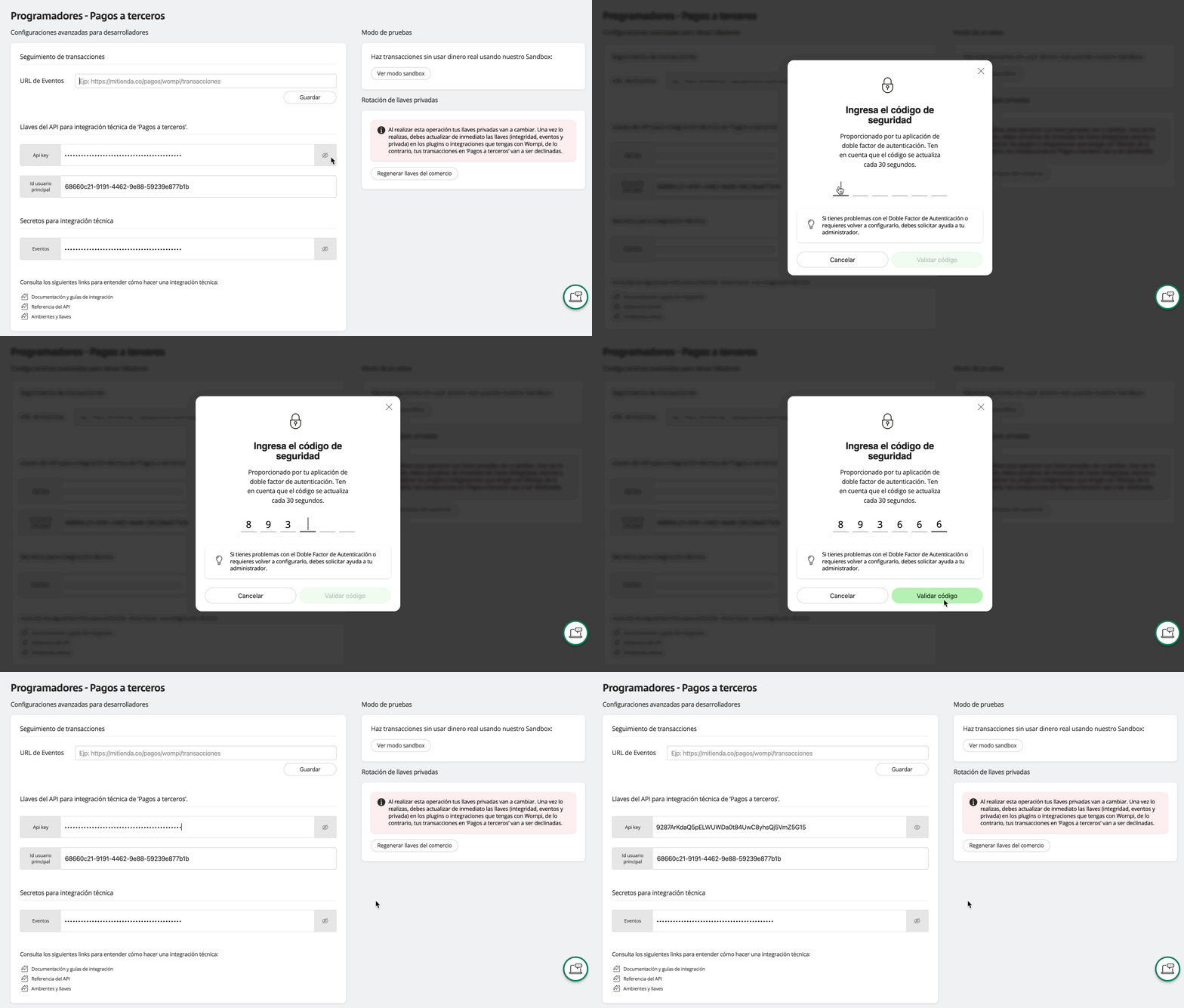
Reveal the key: Click on the icon next to the API Key to reveal the value, you will be asked for the second authentication factor.
-
Use the keys: The
API KeyandPrincipal User IDmust be sent in the headers of all requests made to our API endpoints.
Example of headers:
user-principal-id: {ID_Usuario_Principal}
x-api-key: {API_Key}
Regenerate the API Key
You can also regenerate the API Key whenever you wish. In the Private Key Rotation section, click on the Regenerate merchant keys button.
Once the API Key is regenerated, you must wait two to three minutes before using it.