Balance inquiry
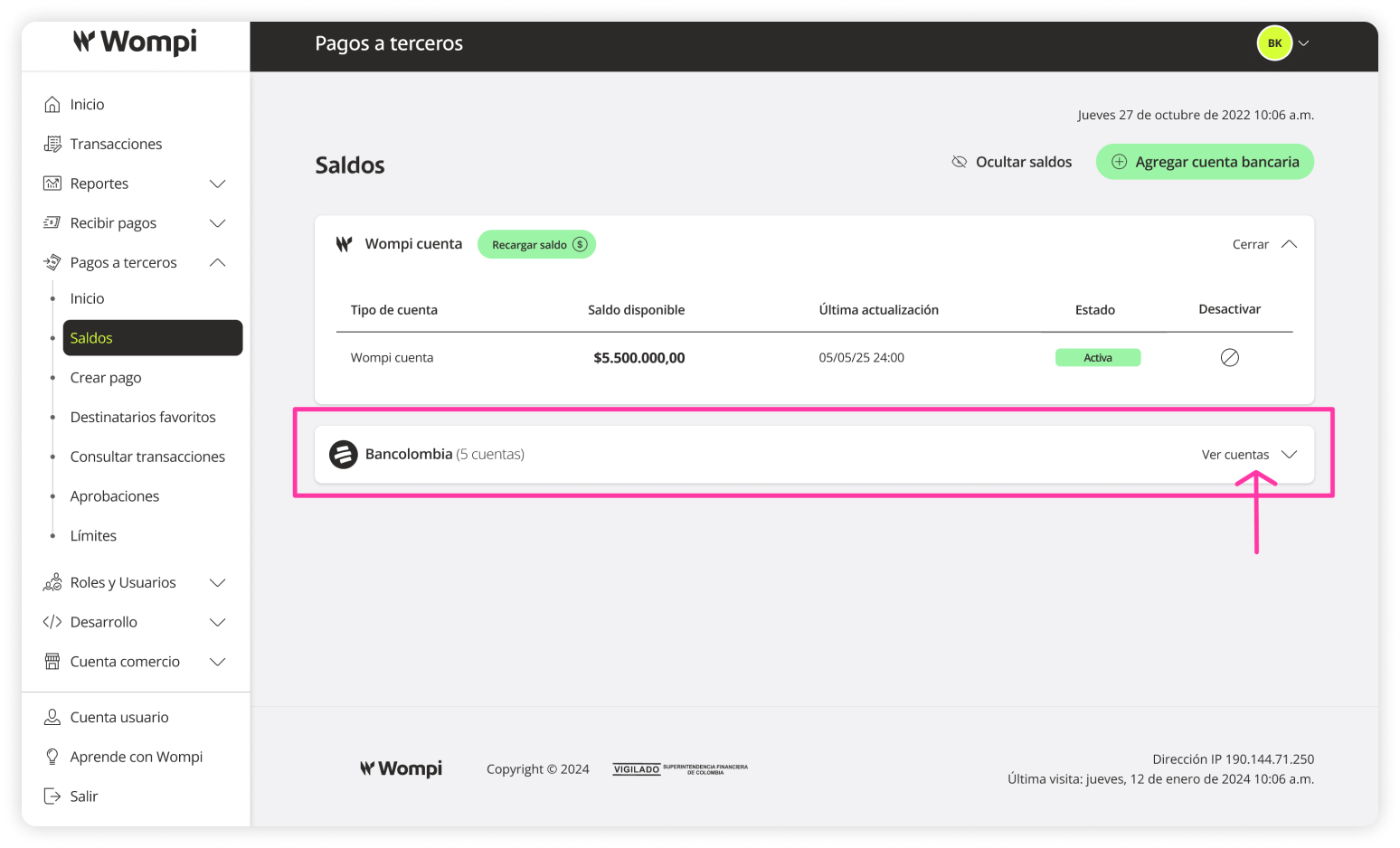
In this section, you can view all the bank accounts linked for payment distribution, organized by financial institution.
Information available for review:
- Account type and number.
- Available balances.
- Last update.
- Account statuses.
Actions you can take:
- Deactivate the Wompi account.
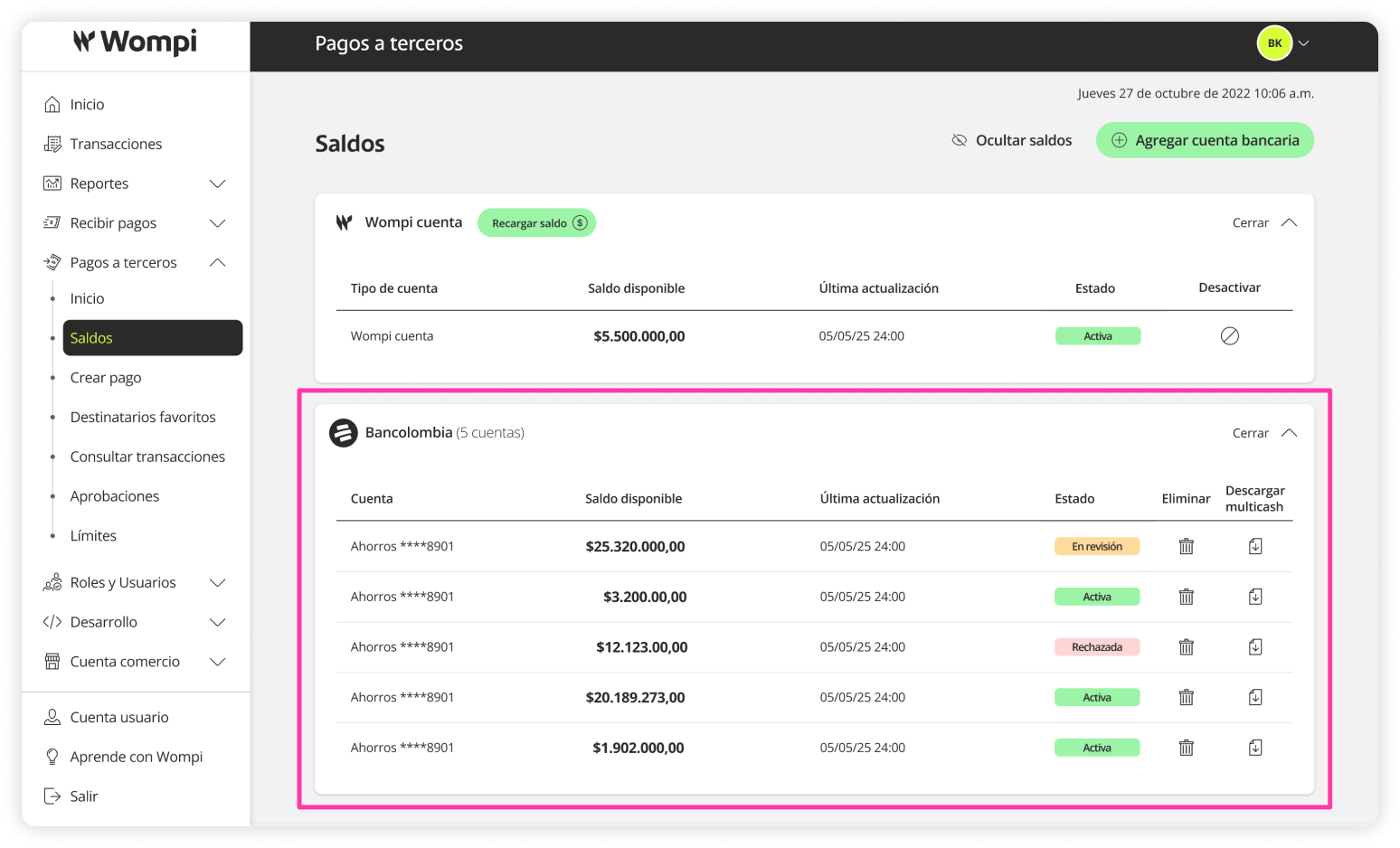
- Download Multicash file.
- Delete accounts.
Required permissions
- Roles with permission to view and consult balances.
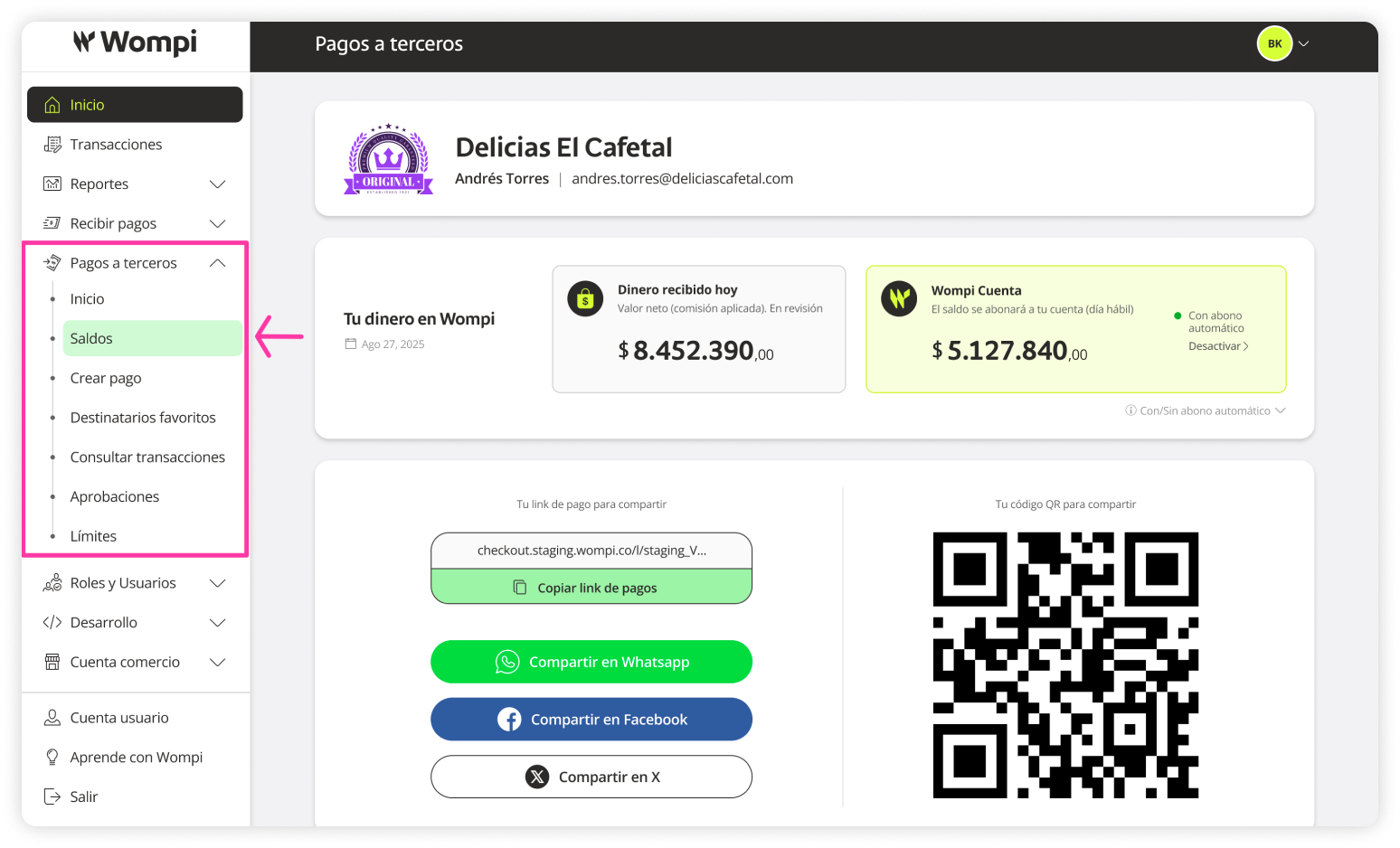
 Once inside the Wompi dashboard, in the left menu, expand the Payouts option and select Balances.
 In the Balances section, you’ll see the various banks and their linked accounts for payment distribution.
Reminder: The Wompi account is a digital account that uses the balance from the 'Wompi Online Payments' product.
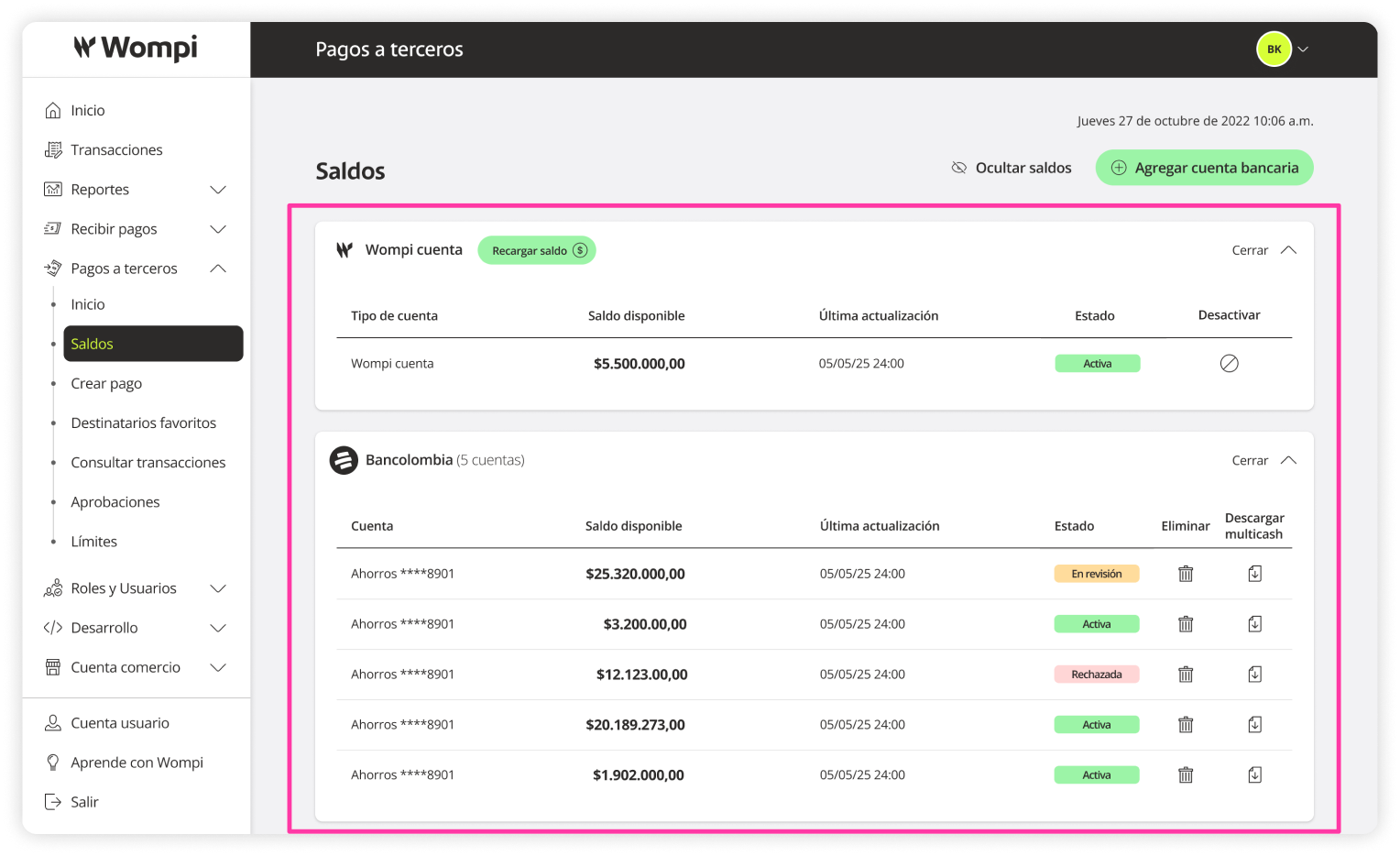
 To improve your experience, you can expand or collapse each bank section to focus only on the information you need.
Deactivate the Wompi account
You can deactivate the Wompi account so it is no longer available as a distribution option when creating a payment.
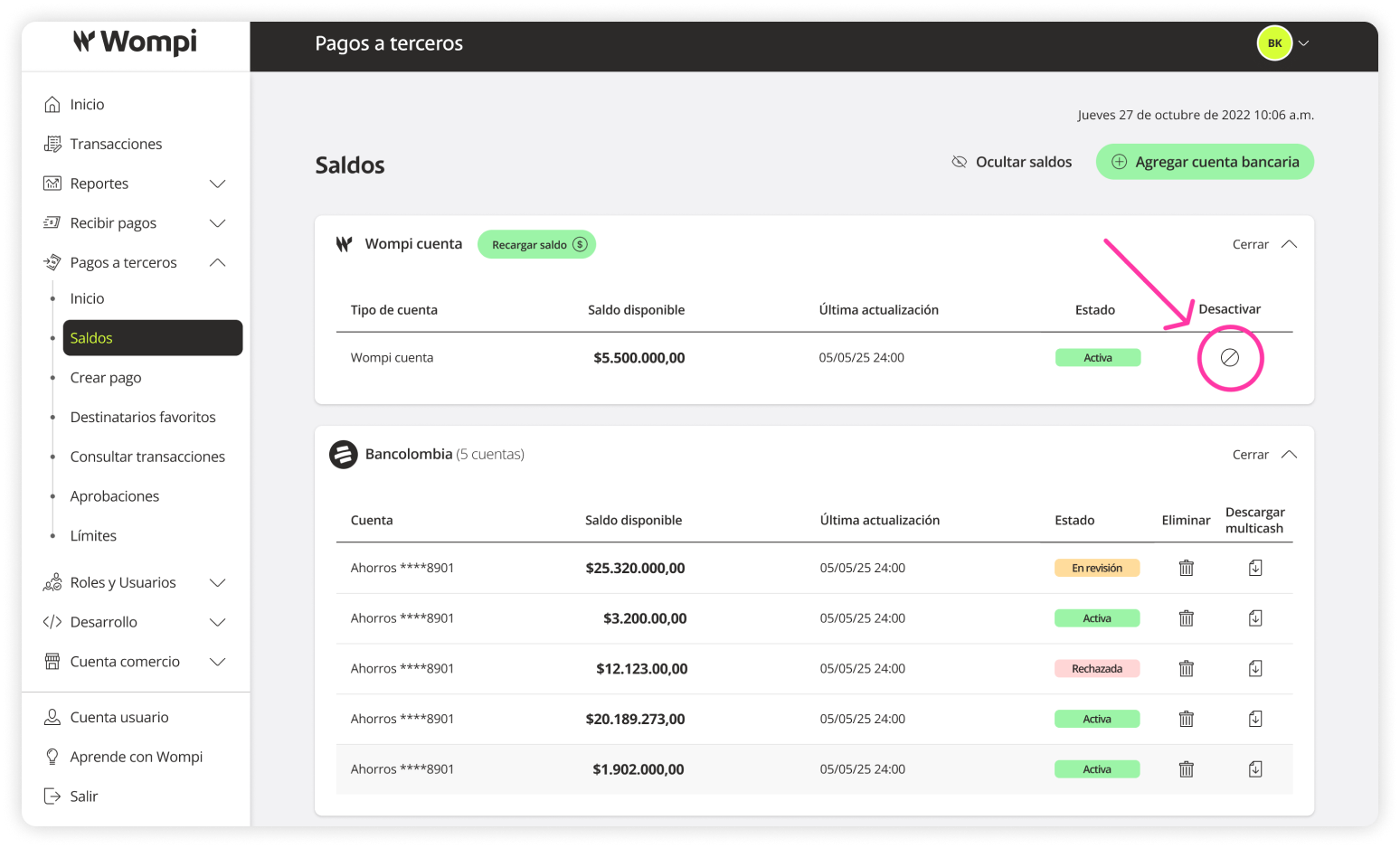
In the Balances section > Wompi Account, click the ‘Deactivate’ icon.
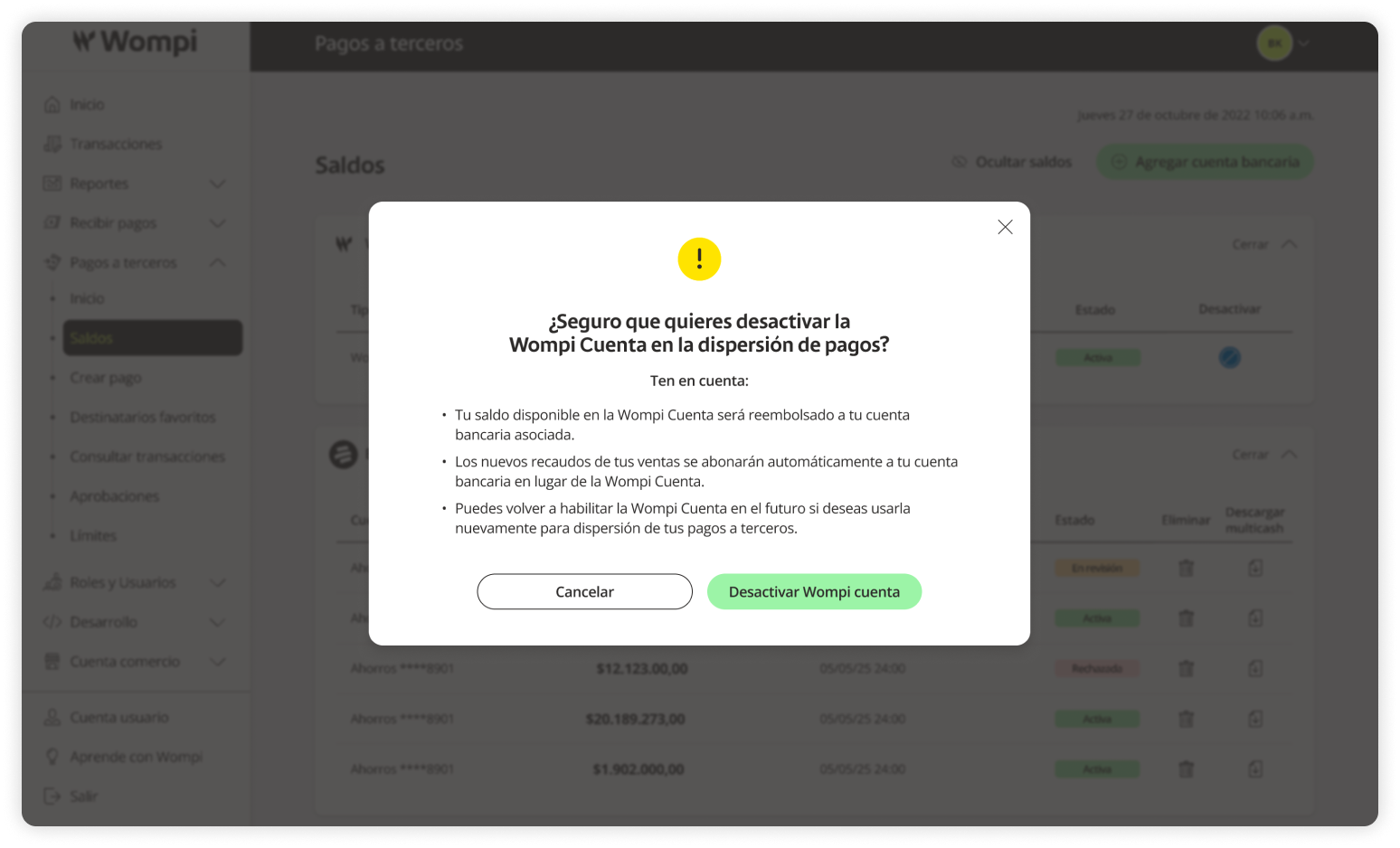
You will need to confirm this action.
Keep in mind: if you deactivate the Wompi account:
- Your available Wompi account balance will be refunded to your linked bank account.
- New collections from your sales will be credited directly to your bank account instead of the Wompi account.
- You can reactivate the Wompi account later if you want to use it again for payouts.
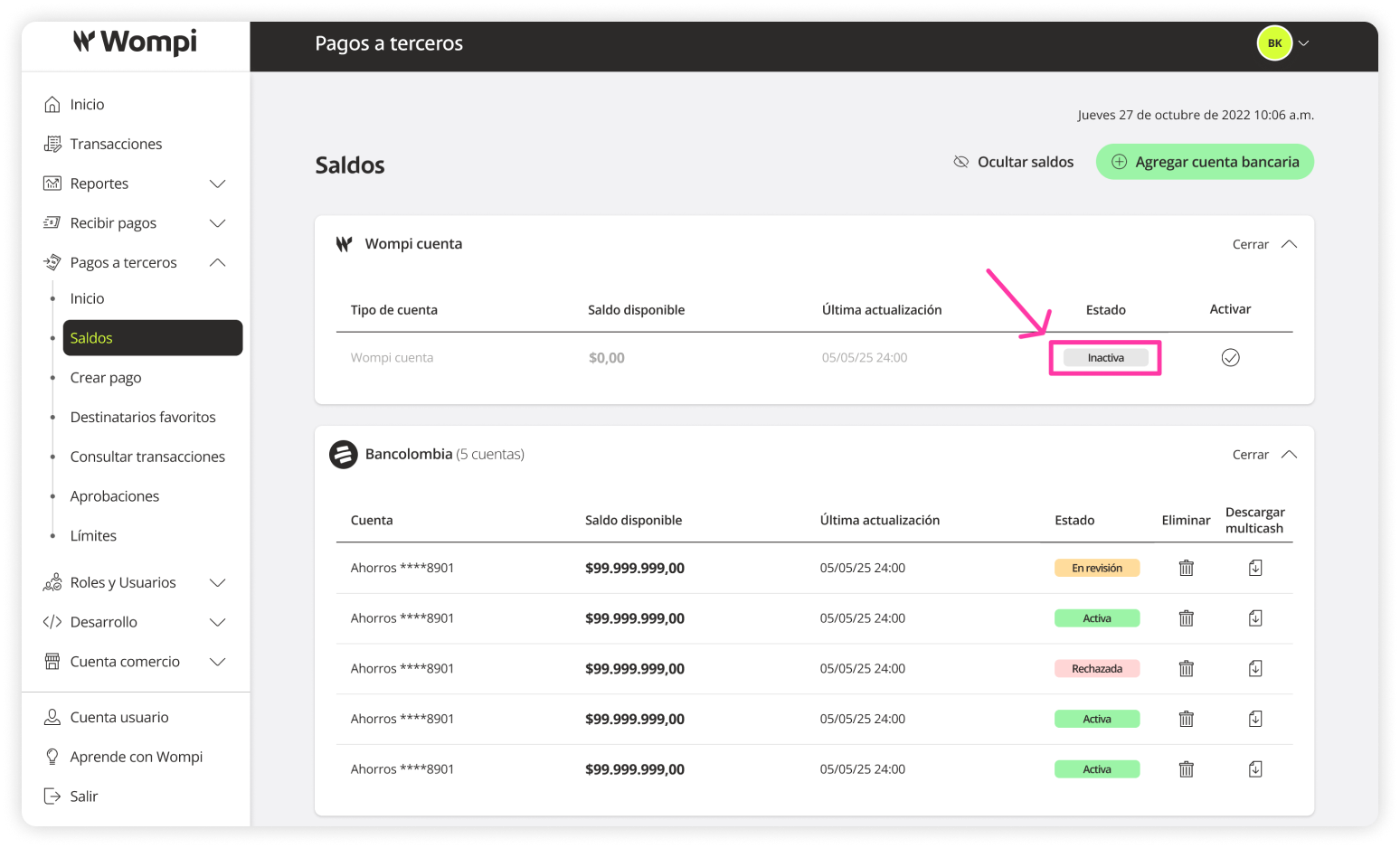
Once deactivated, the Wompi account will move to an ‘Inactive’ status and will no longer be available as a payout option.
Activate the Wompi account
You can activate the Wompi account so it is available again as a distribution option when creating a payment.
In the Balances section > Wompi Account, click the ‘Activate’ icon.
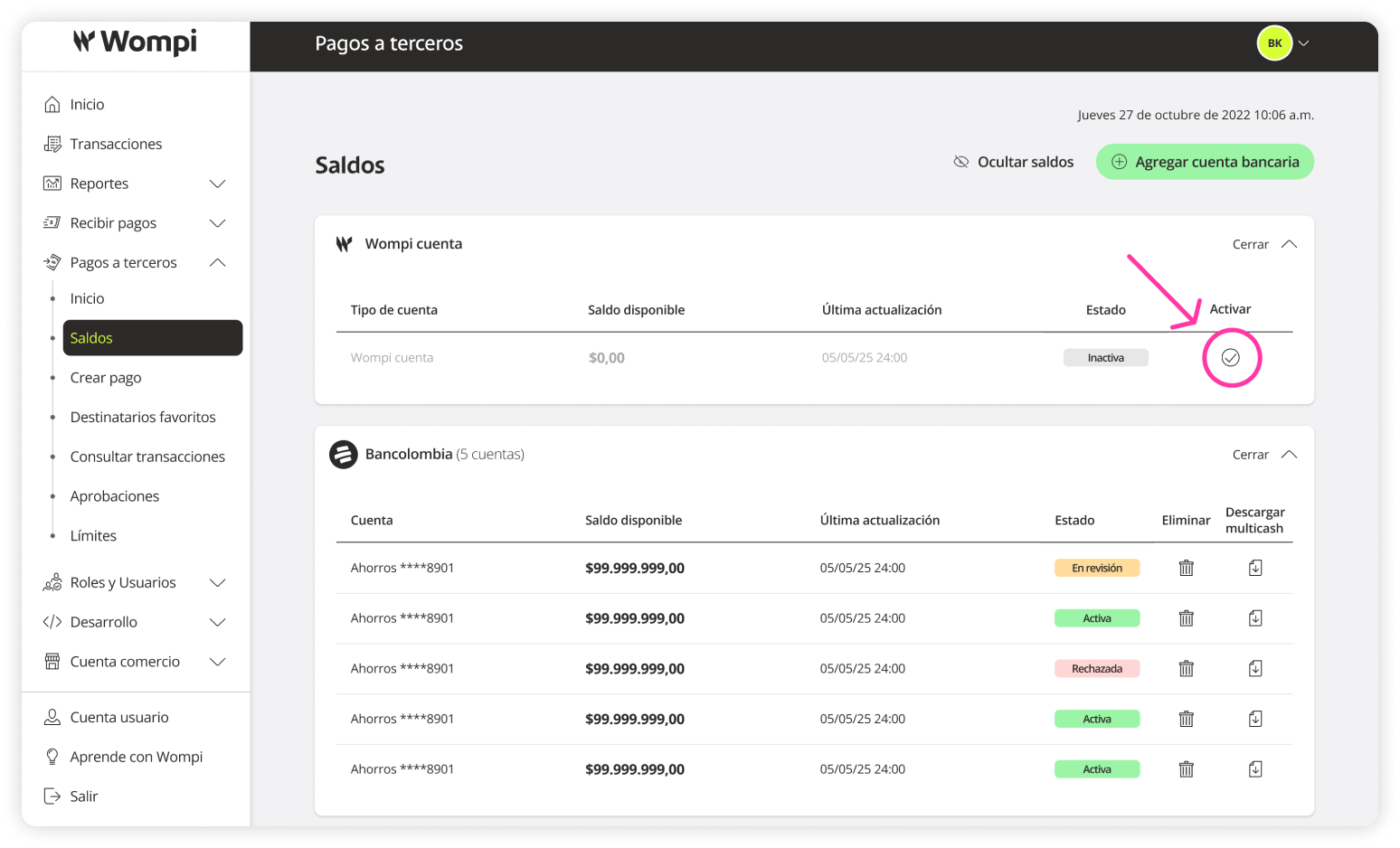
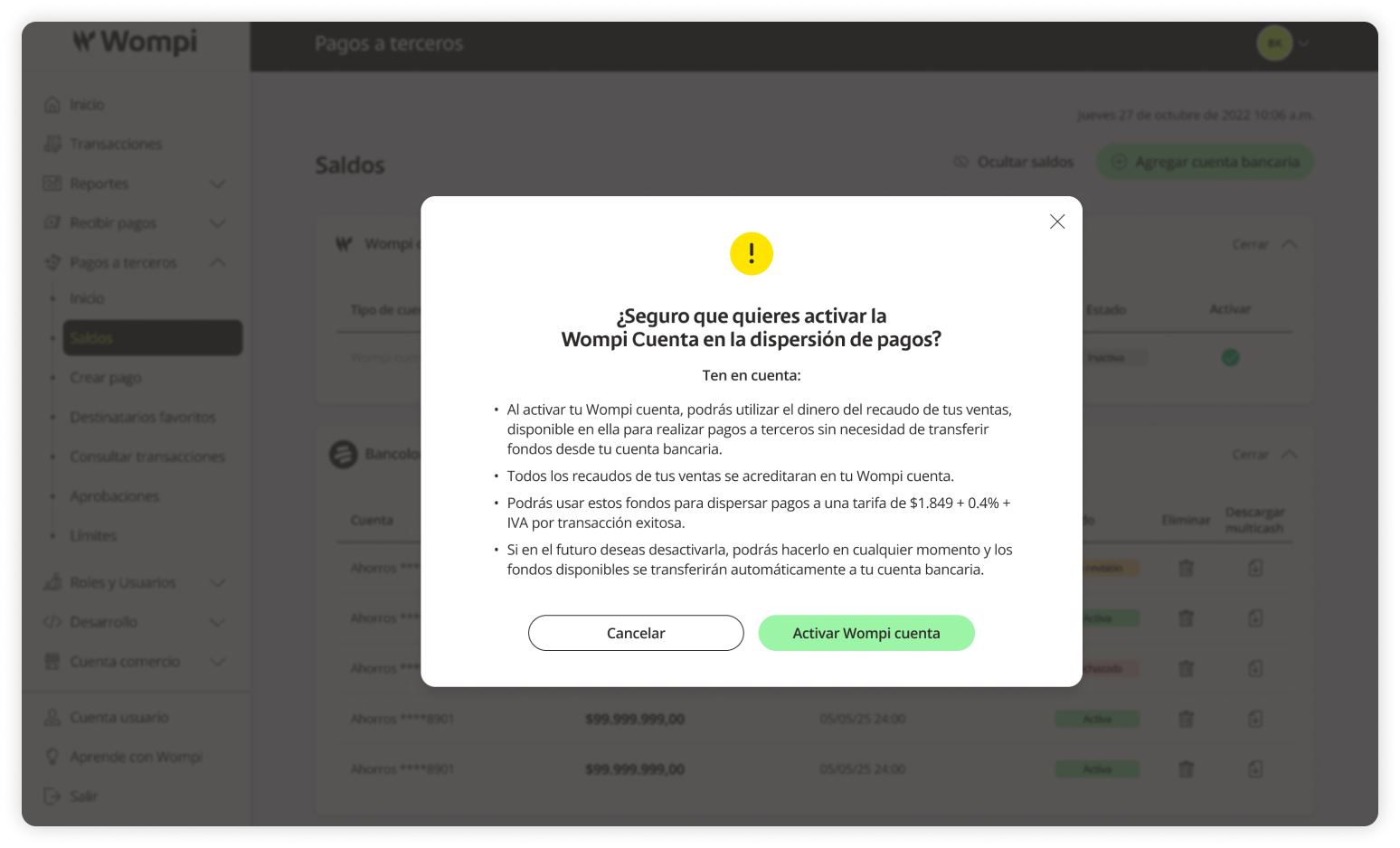
You will need to confirm this action.
Keep in mind: if you activate the Wompi account:
- You will be able to use the money from your sales collections in the Wompi account for payouts without needing to transfer funds from your bank account.
- All your sales collections will be credited to your Wompi account.
- You can use these funds to make payouts at a fee of $1,849 + 0.4% + VAT per successful transaction.
- You can deactivate it anytime in the future, and any available balance will automatically be transferred to your linked bank account.
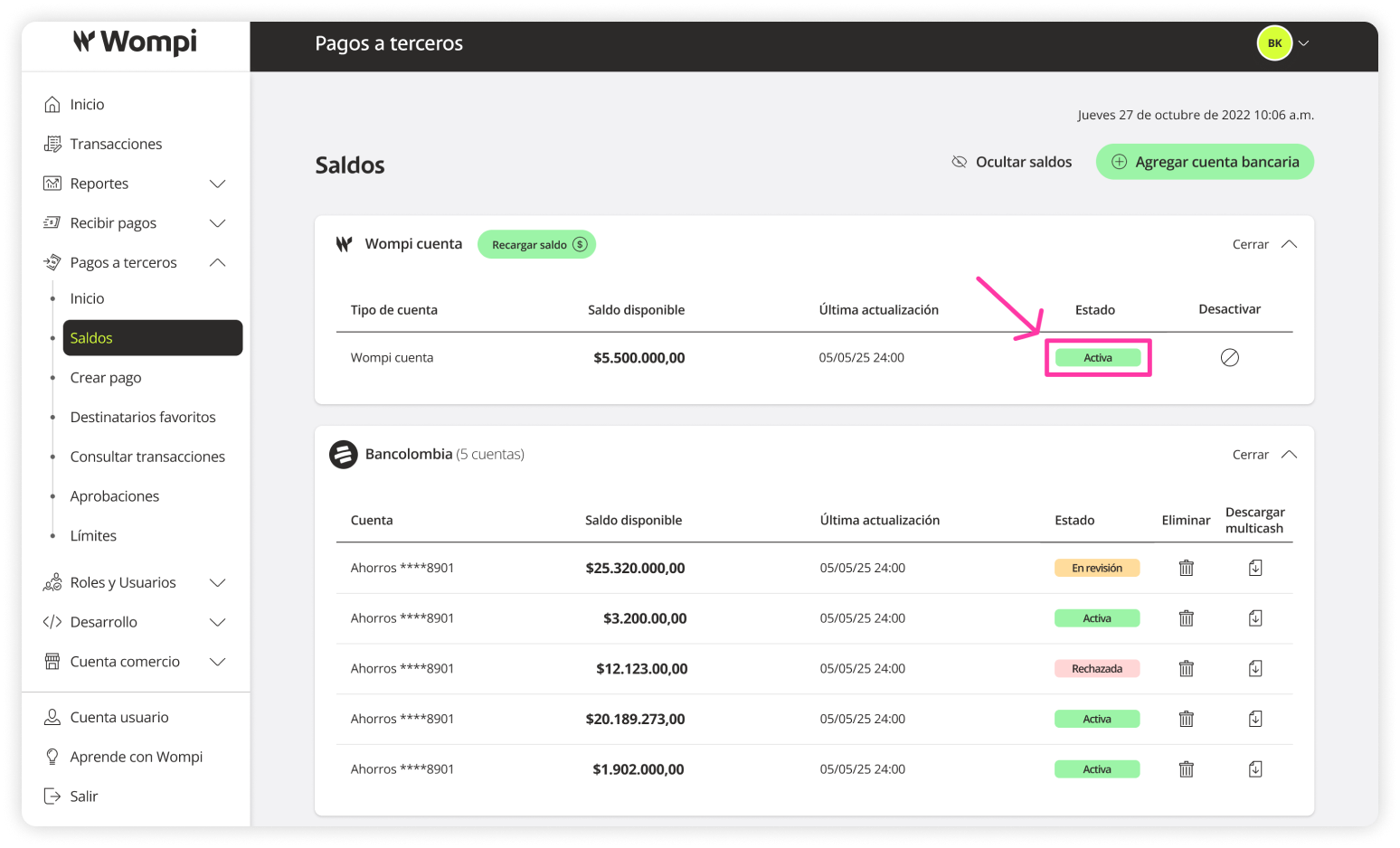
Once activated, the Wompi account will change to an ‘Active’ status and be available again as a payout option.
Download Multicash files
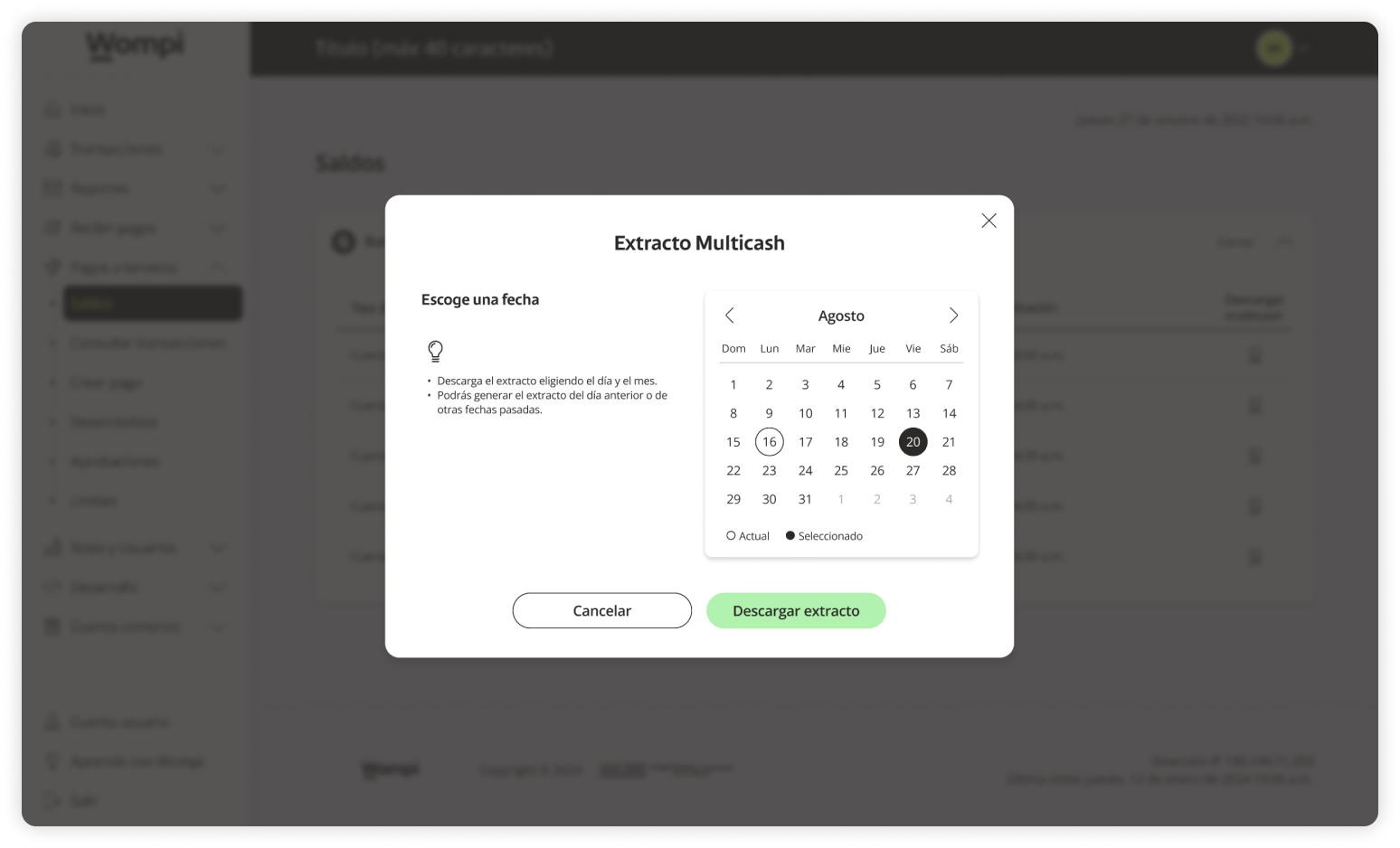
A Multicash statement is a consolidated report that lets you view the movements and balances of your bank accounts linked to Wompi’s Payouts.
In the Balances section > Wompi Account, click the ‘Download Multicash’ icon.
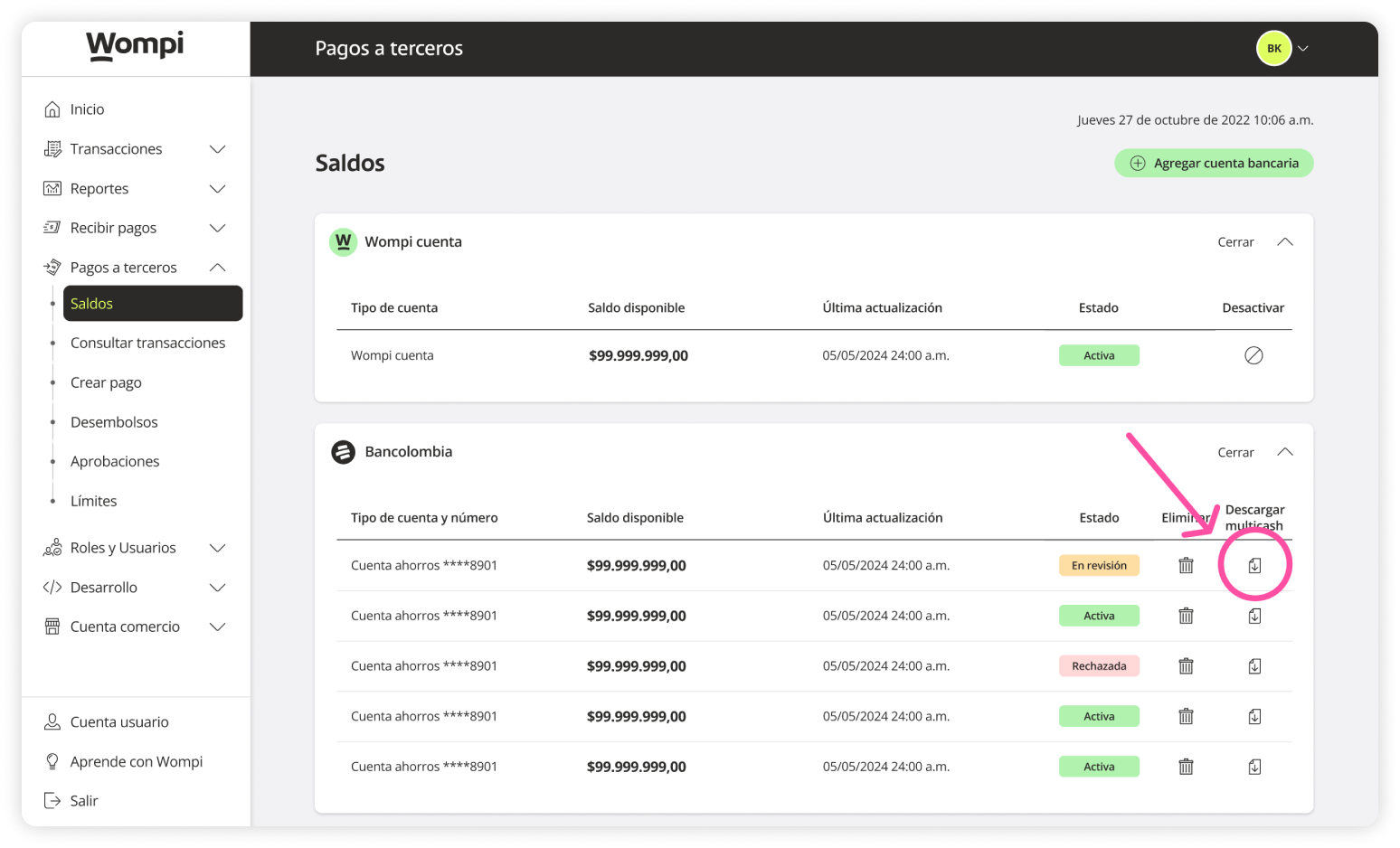
Select the desired date.
Note: You can generate a statement for the previous day or other past dates.