
¡Accept payments in your WooCommerce store in seconds!
Requirements
The only thing you need to use our WooCommerce plugin is:
- A website that works with WordPress.
- Have the WooCommerce Plugin installed, version 3.5 or higher
- Having permissions in the WordPress administrator to install new plugins.
- Create a Wompi account to have all the necessary keys, both for the Production and Sandbox environment.
- Have completed the onboarding process, which allows processing payments with Wompi.
Features
This plugin:
- Integrates the Wompi Widget and allows you to accept payments with any of the payment methods available for your business.
- Allows to be used to accept real payments (in Production), as well as payments in test mode (Sandbox).
- Includes translations for WordPress installations in 3 languages: Spanish, English and Portuguese.
Installation from the WordPress plugin store
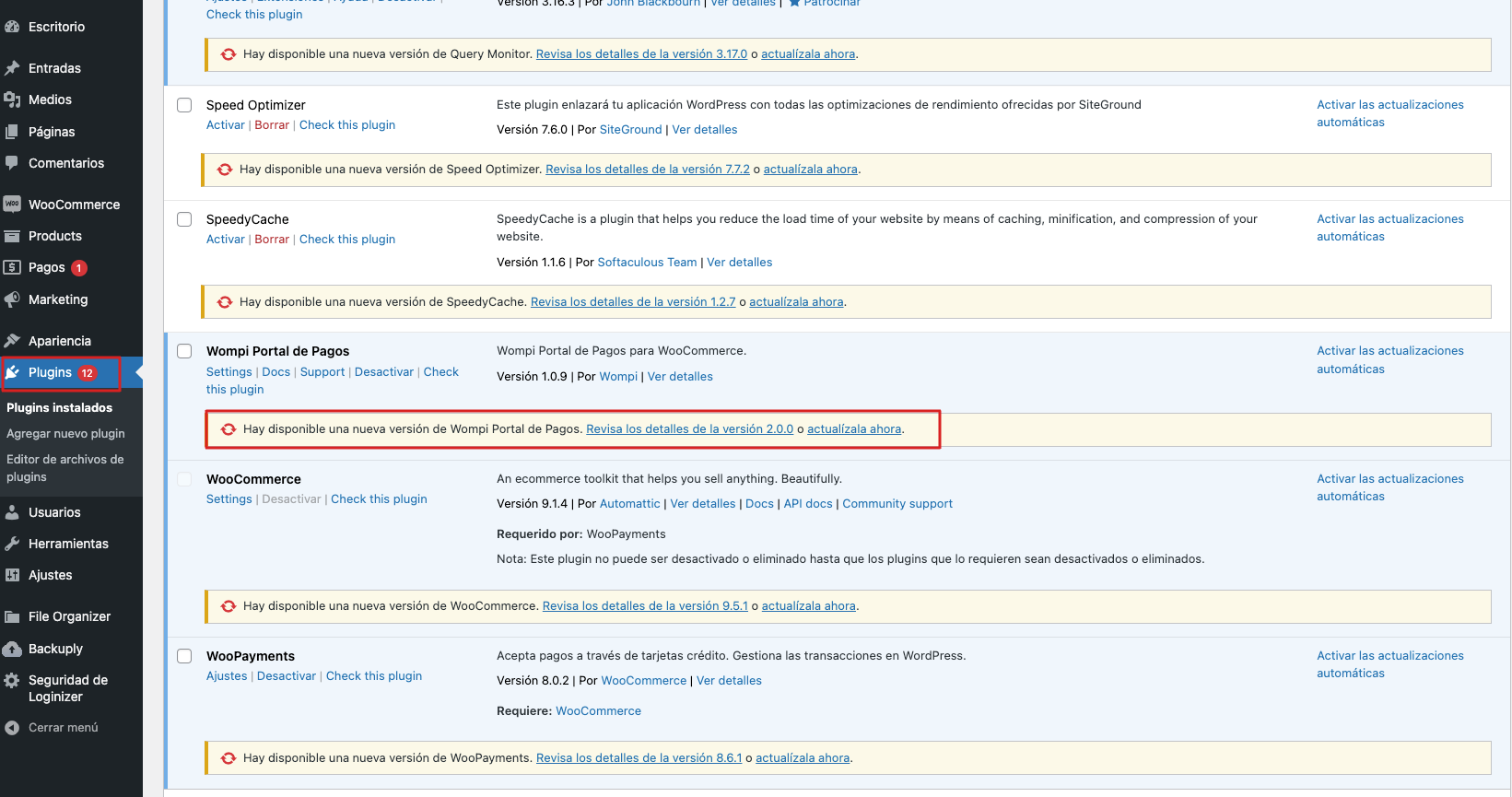
Previous note: If you have installed a previous version of the Wompi plugin for WordPress, you will have the option to update to the latest version.
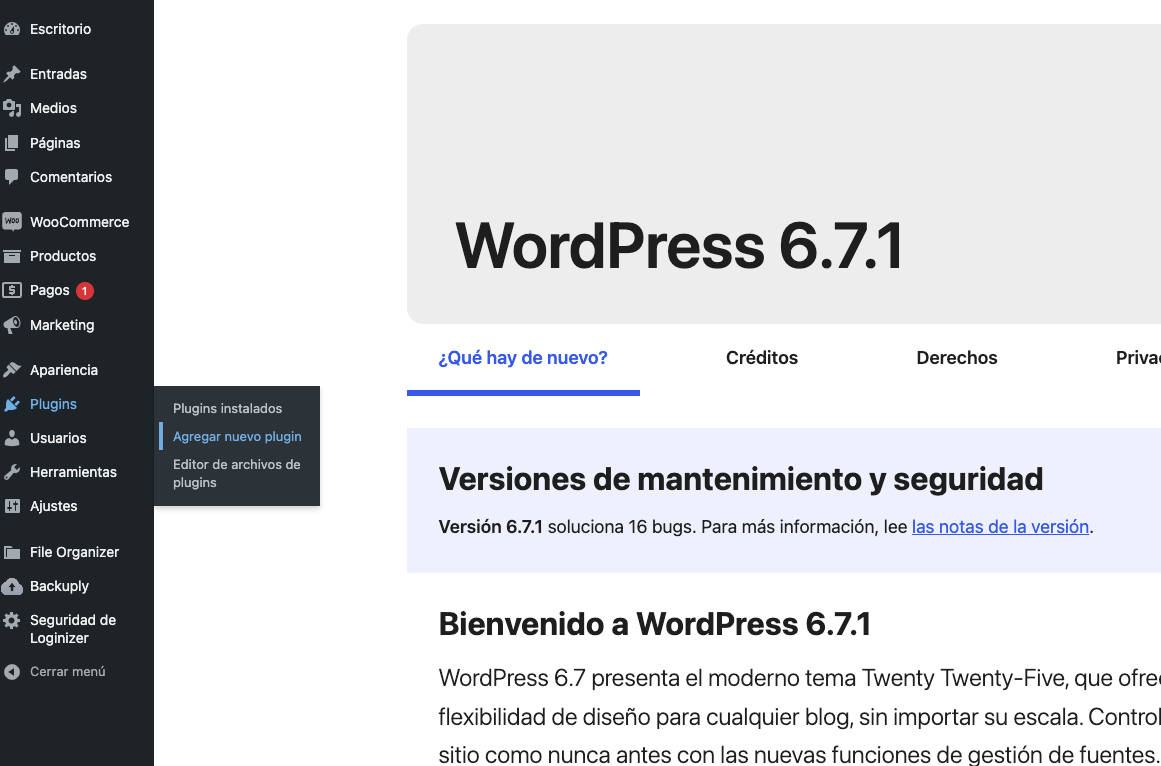
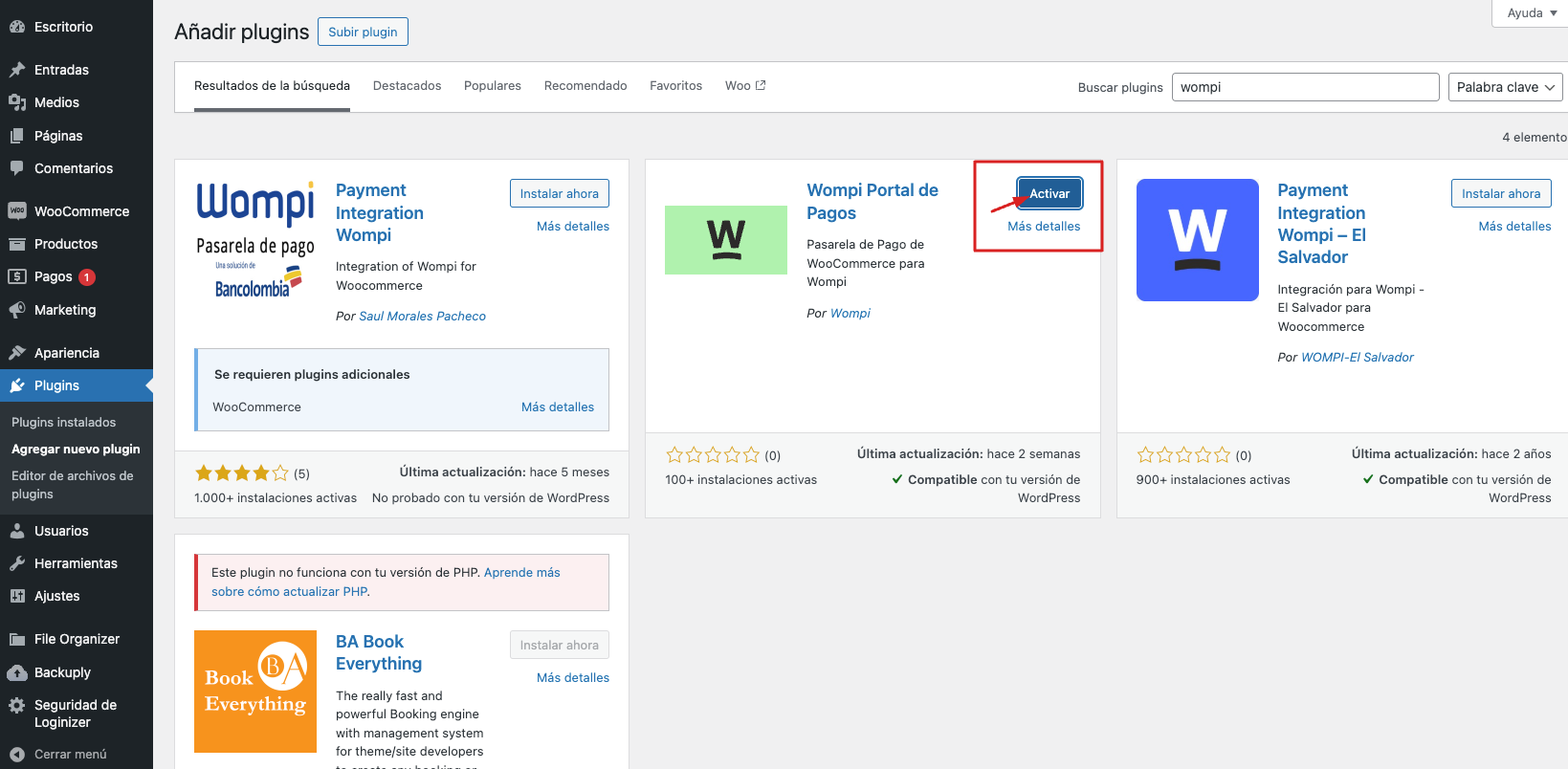
- In the left panel, hover over the Plugins icon and select "Add new plugin" as shown in the image below.
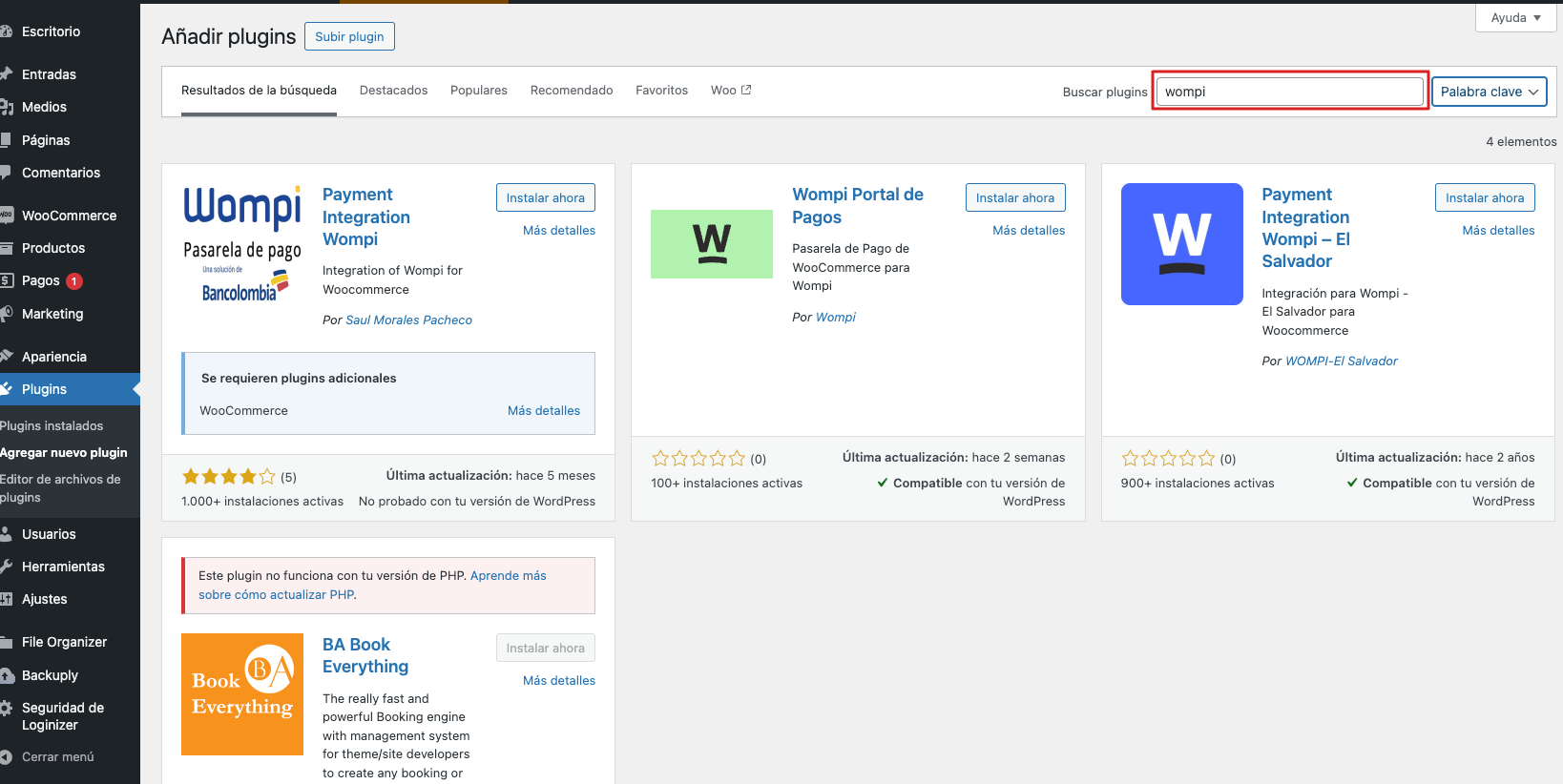
- At the top of the page, type the keyword wompi in Search plugins and press enter.
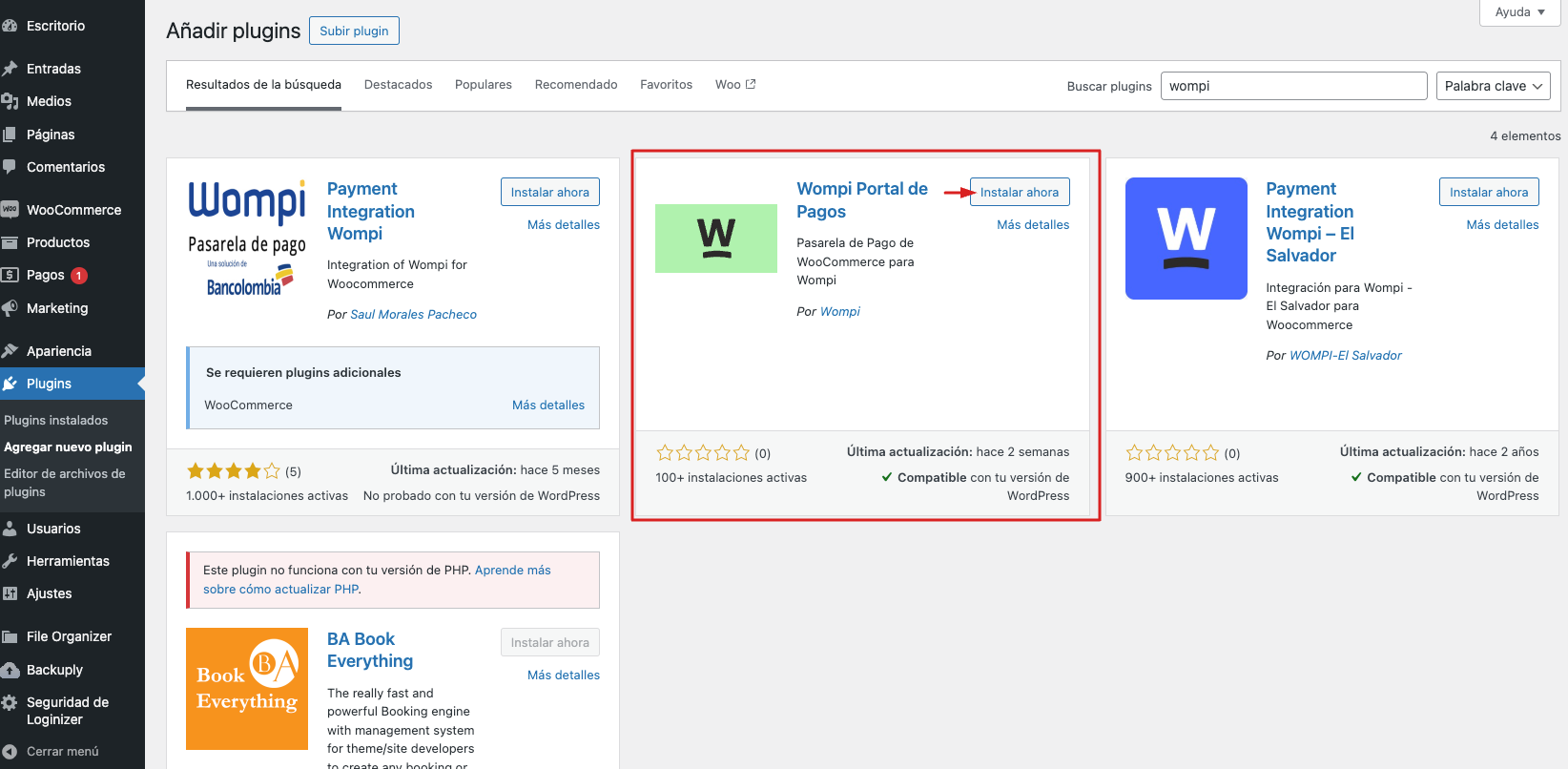
- Find the plugin called Wompi Portal de Pagos and select the Install now option.
- After installing the plugin, select the Activate option.
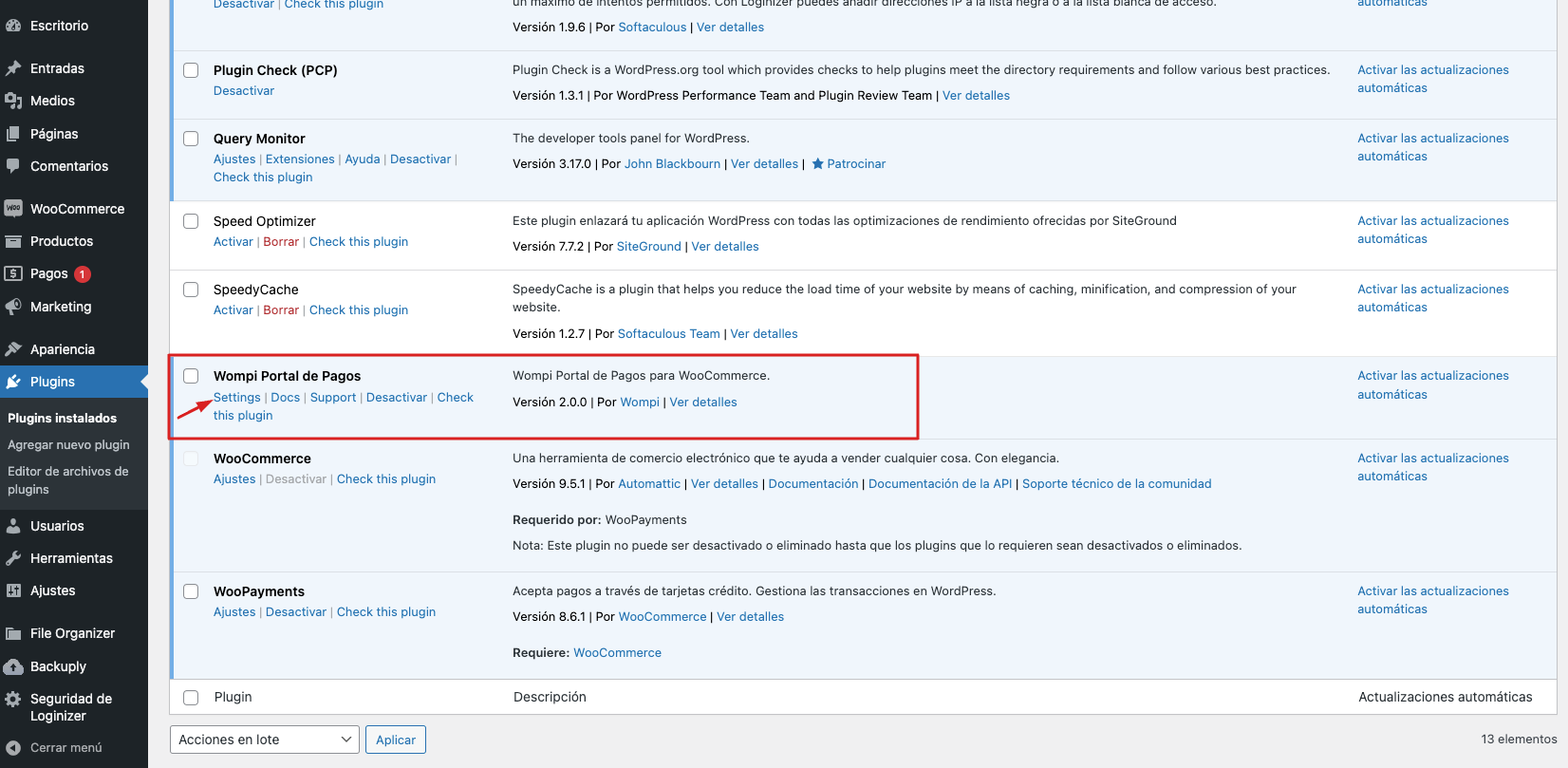
- Among the list of plugins, find the one called Wompi Portal de Pagos and select the Settings option, which will take you to the Payments view.
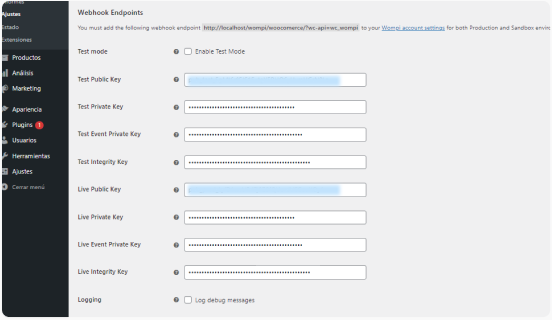
- Copy the Events URL shown there and paste it in the Wompi Commerce Dashboard, section My account " Events URL. Do the same for the Sandbox environment by clicking below on "Enable test mode".

-
In the Payments view, you will select the "Enable Wompi" option. In addition, you should have the following keys at hand:
Test Public Key
Test Private Key
Test Event Private Key
Test Integrity Key
Live Public Key
Live Private Key
Live Event Private Key
Live Integrity KeyThese must be entered in their respective fields.
-
IMPORTANT: Check or uncheck the "Enable trial mode" option to decide if you want to make test transactions (Sandbox), or with real money (Production), respectively.
Additional Information
You can find our plugin in the WordPress store at the following link: Wompi Payment Portal
Licencia
This plugin is provided and distributed under the LGPL 3.0 license
