Initial setup to make your first payment
Now that your business is active for Payouts, you'll need to complete a few steps before making your first payment:
- Create your users.
- Assign bank accounts to your users.
- Make your first payment!
Required permissions
- Roles with permission to prepare payment orders (preparer role).
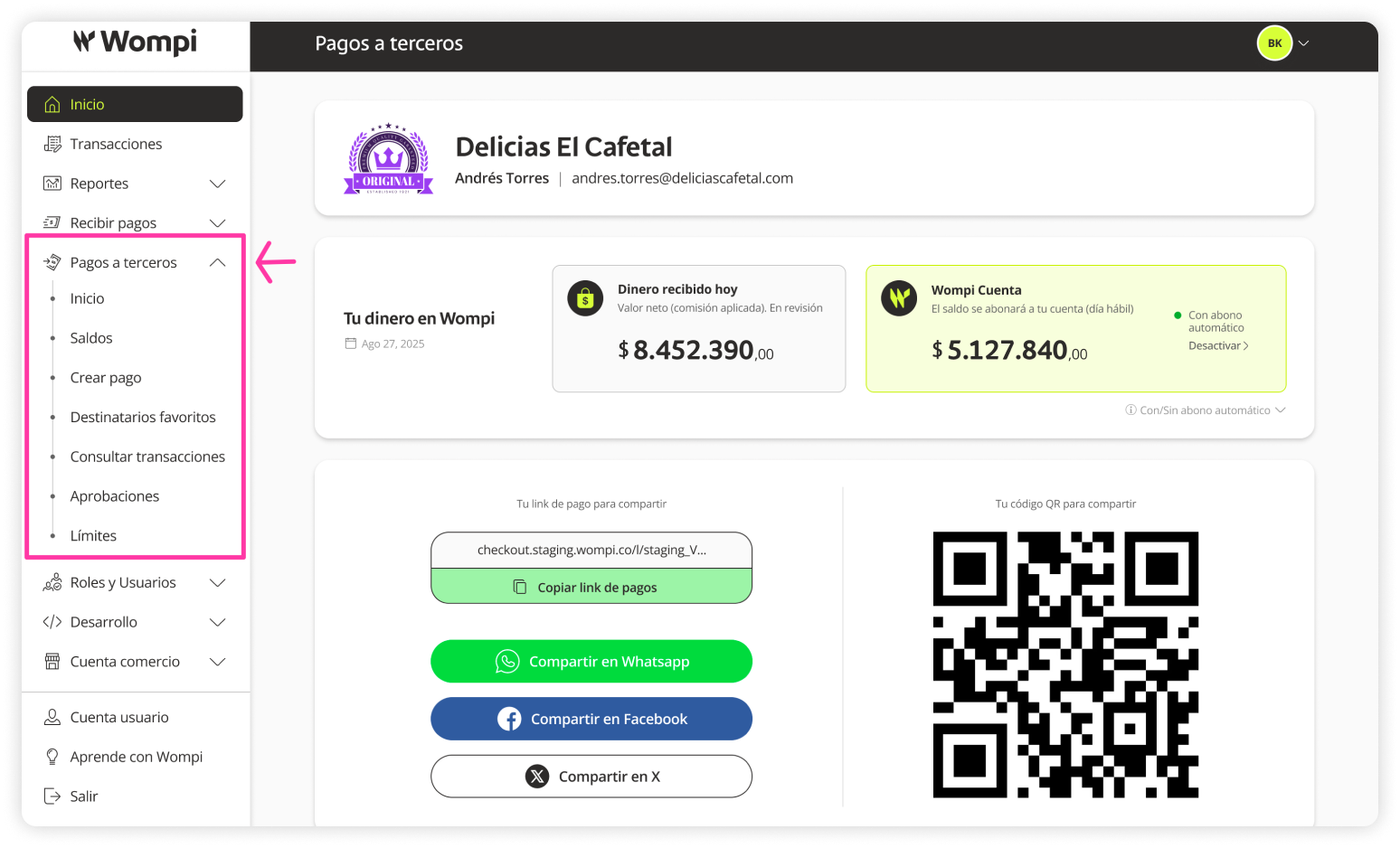
 Once logged into the Wompi dashboard, open the Payouts menu on the left sidebar and select one of the available options.
 Since this is your first time accessing Payouts after your request was approved, you’ll see a progress bar showing the steps you’ve completed and those still pending before making your first payment.
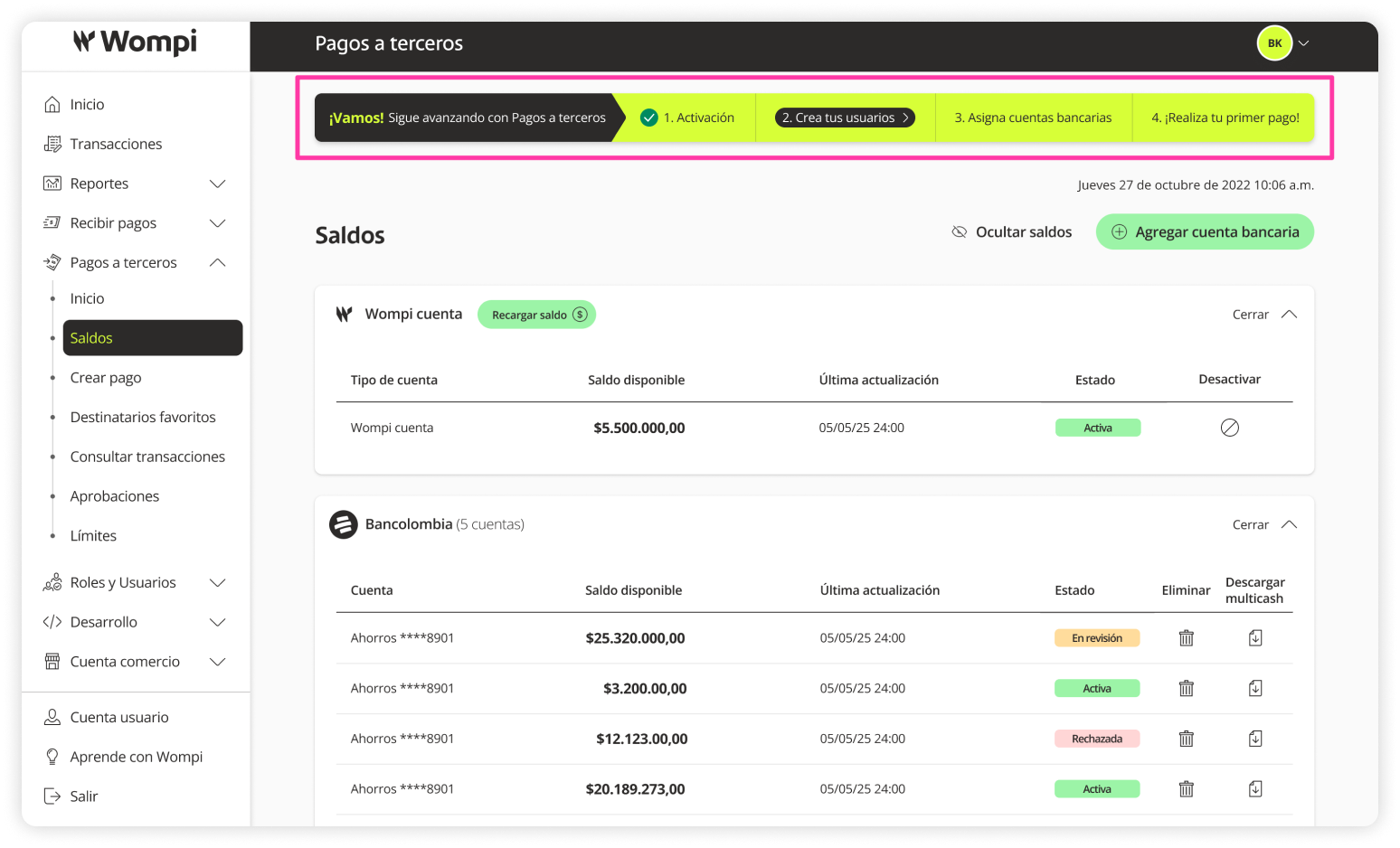
 The first completed step was Activation. Now continue with Create users.
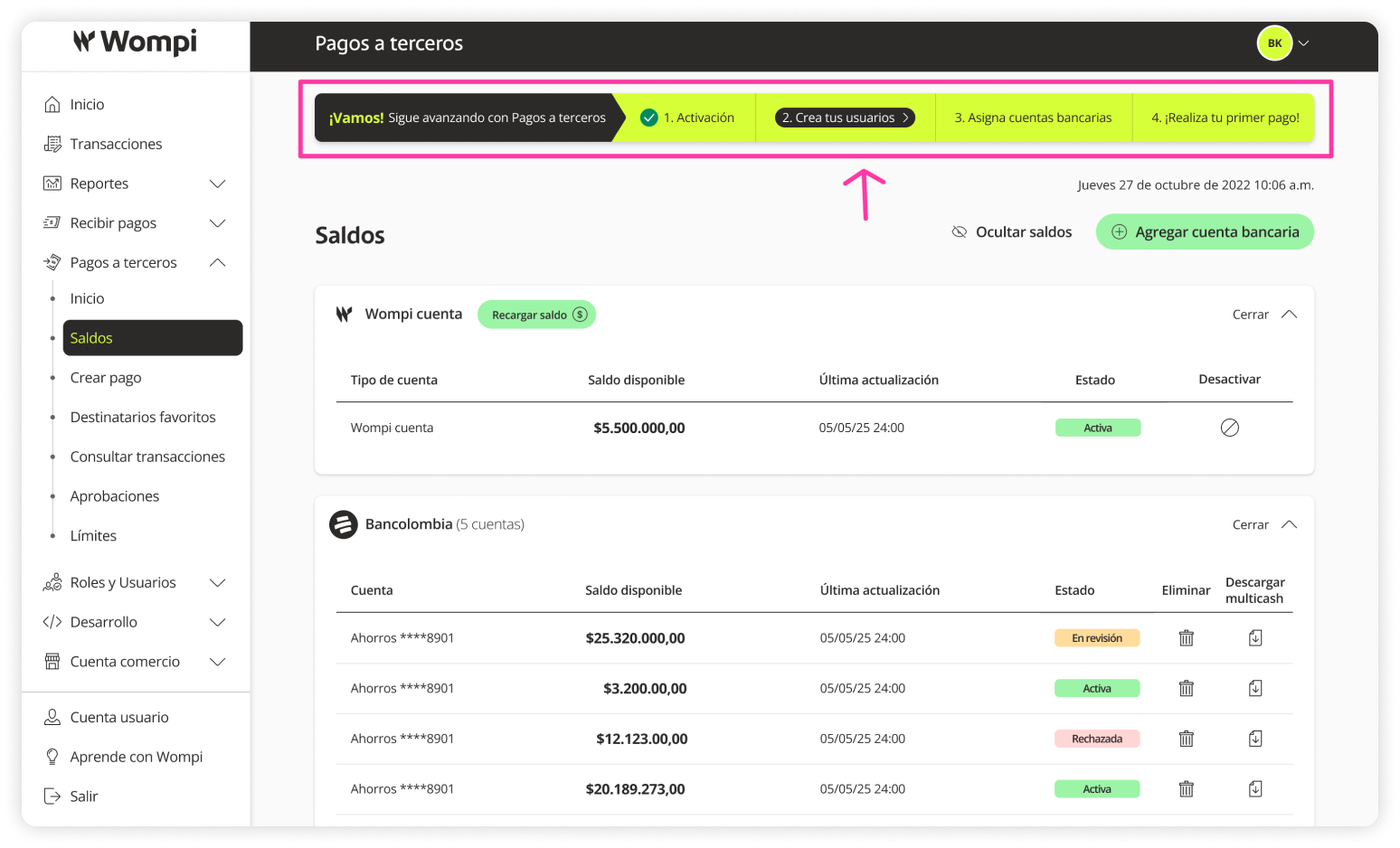
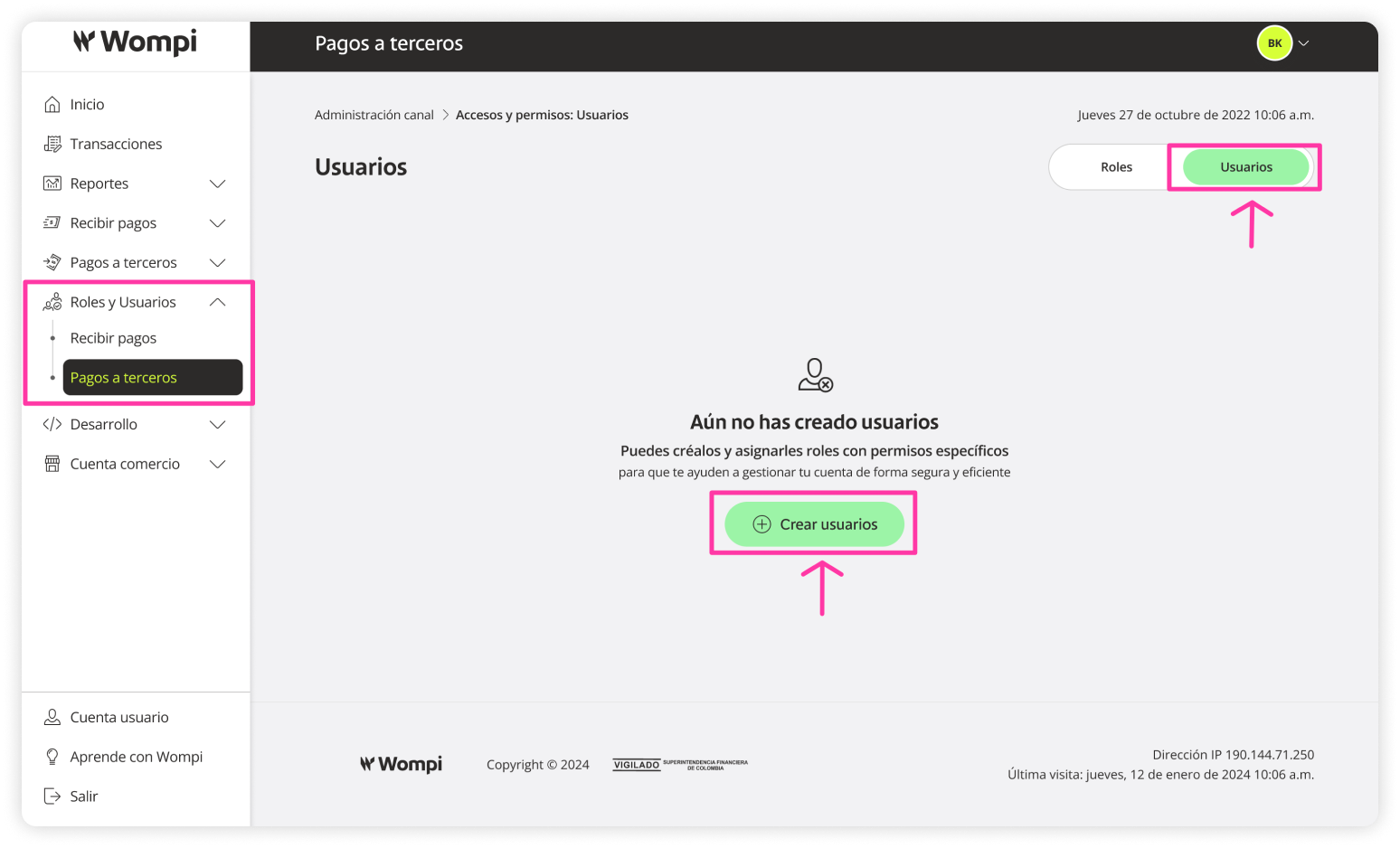
See full experience of creating users - Payouts
 Once the user you created is active, you must assign them bank accounts for payment distribution.
See experience of assigning bank accounts to users - Payouts
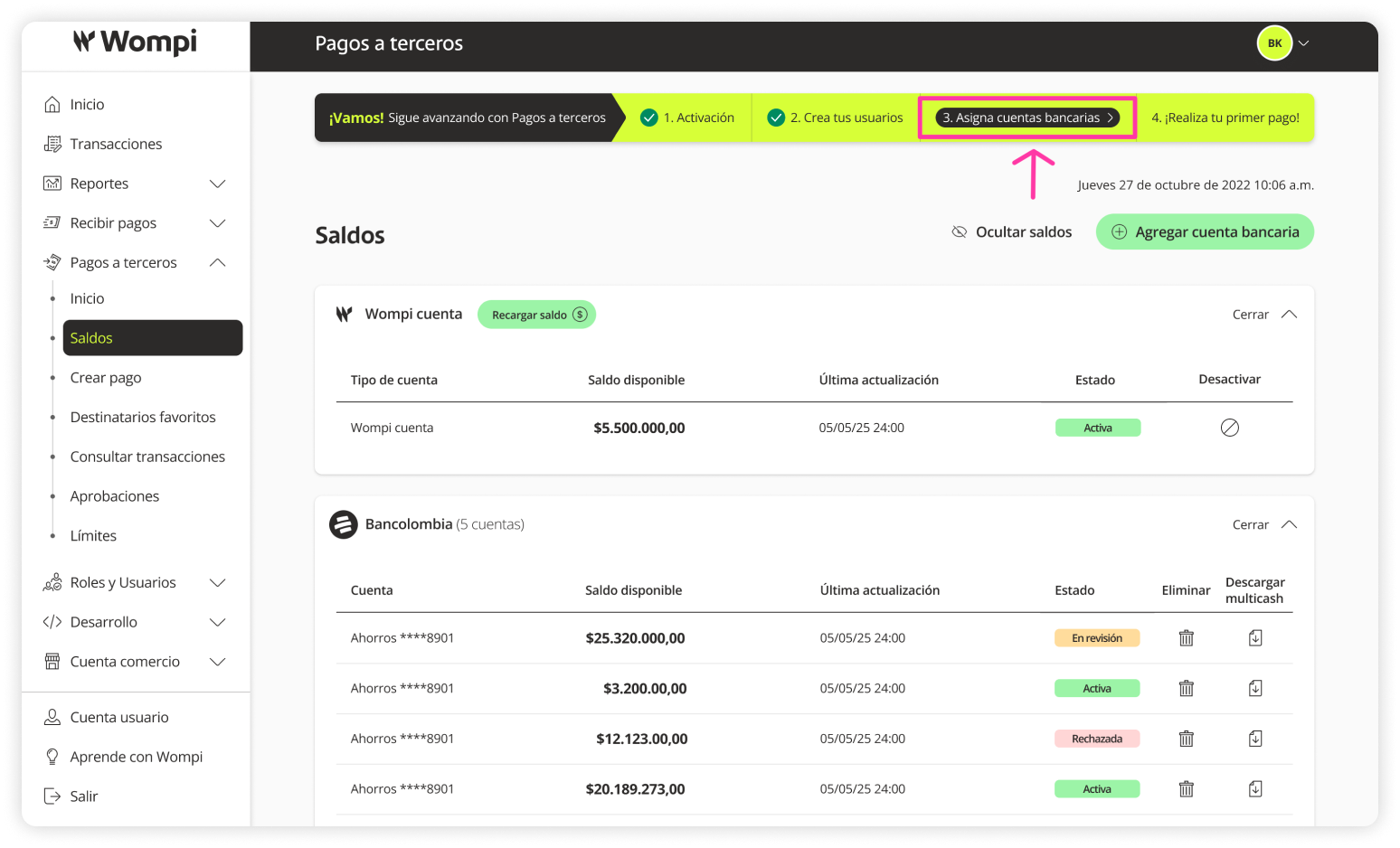
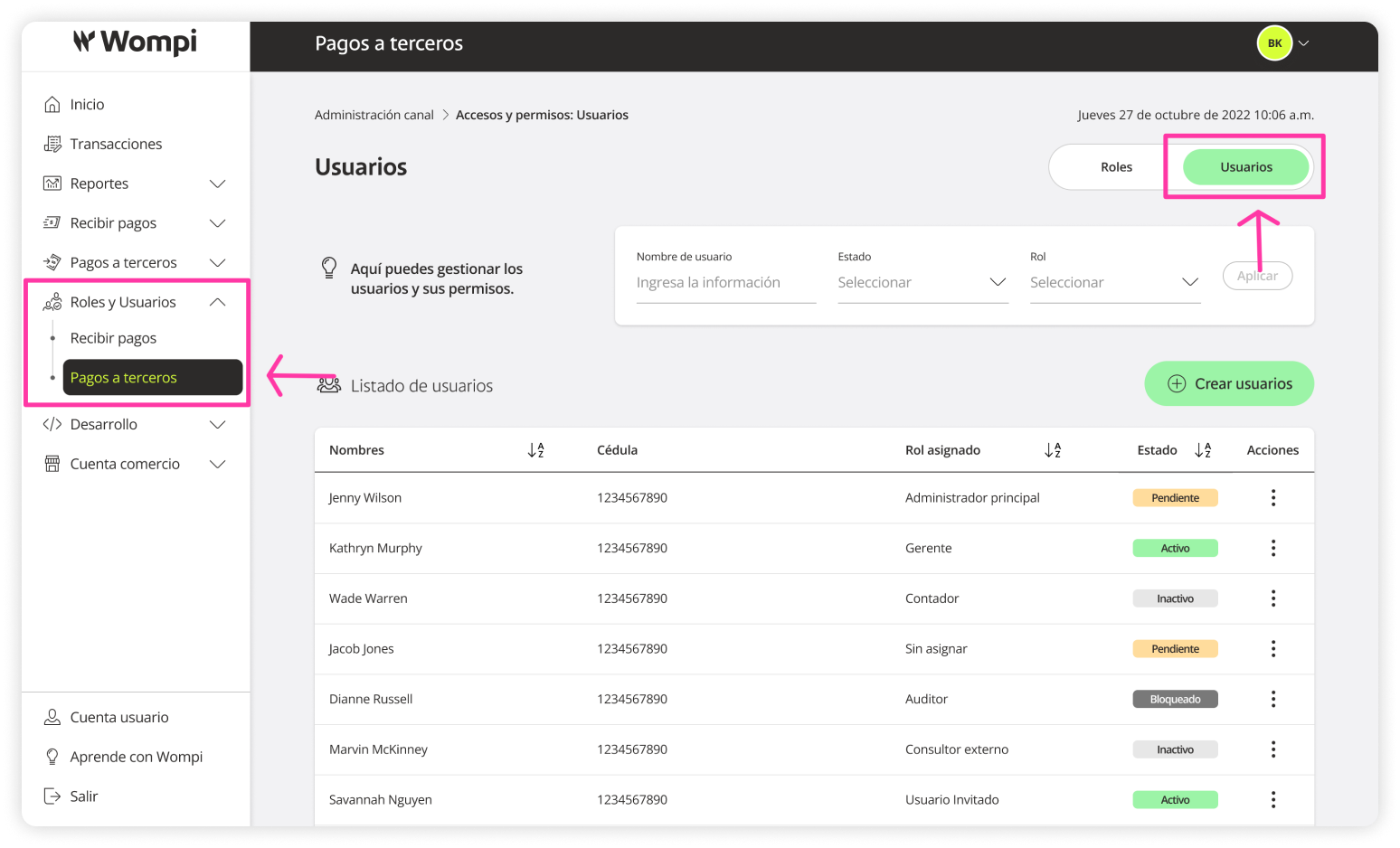
See full experience: Users > Assigning bank accounts - Payouts
 At this point, you will have completed the necessary steps to make your first payment.
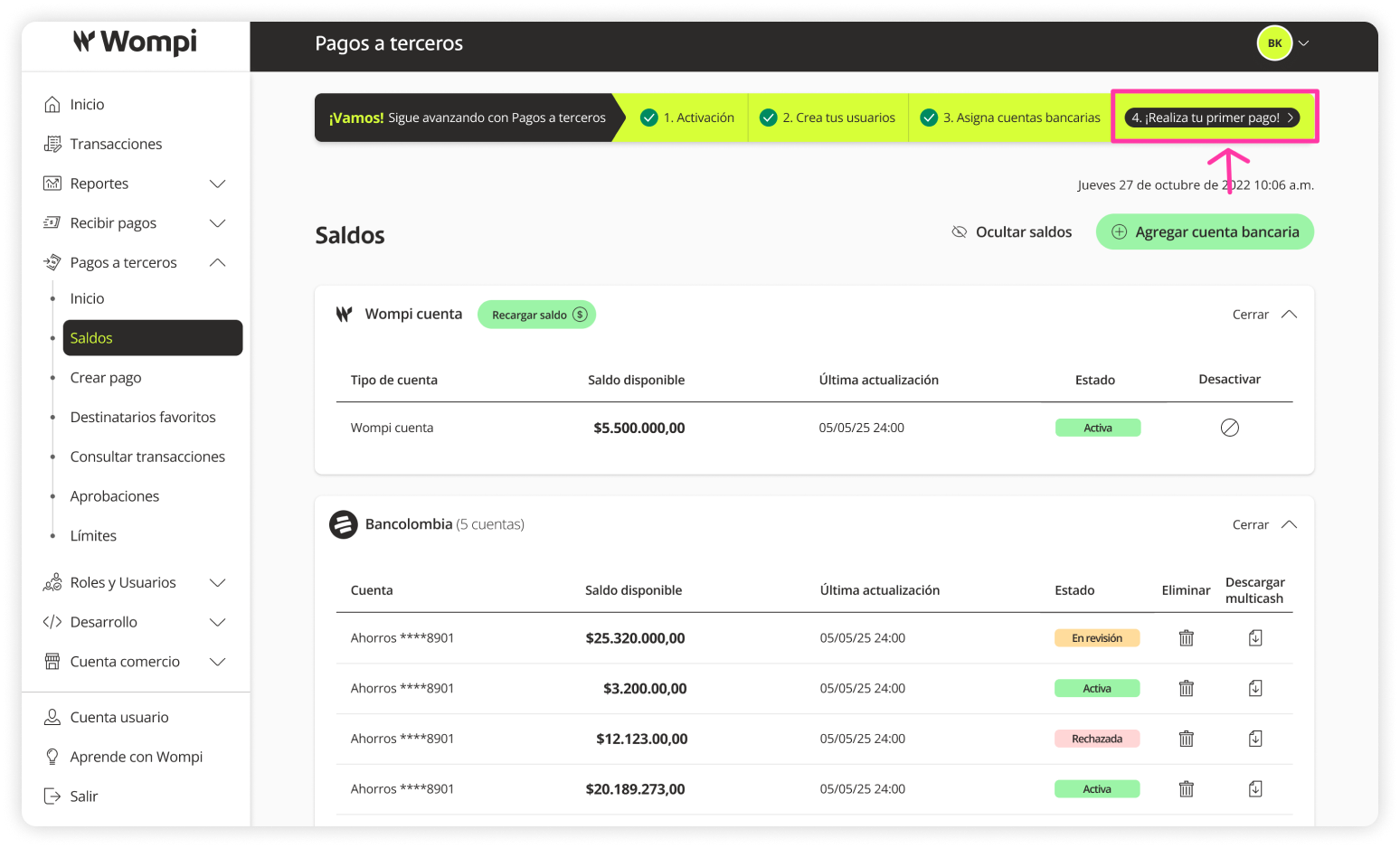
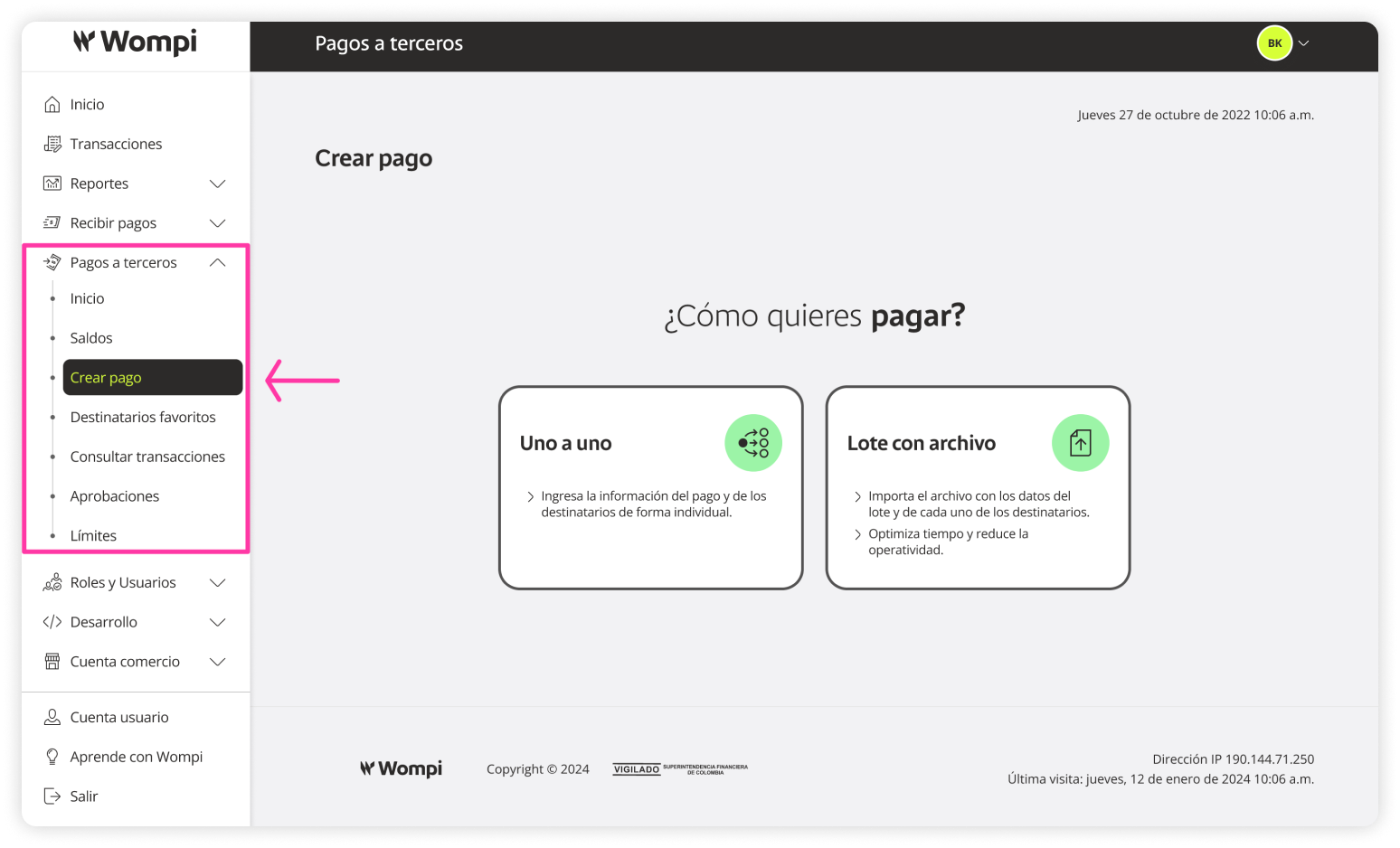
See full experience for creating payments - Payouts
