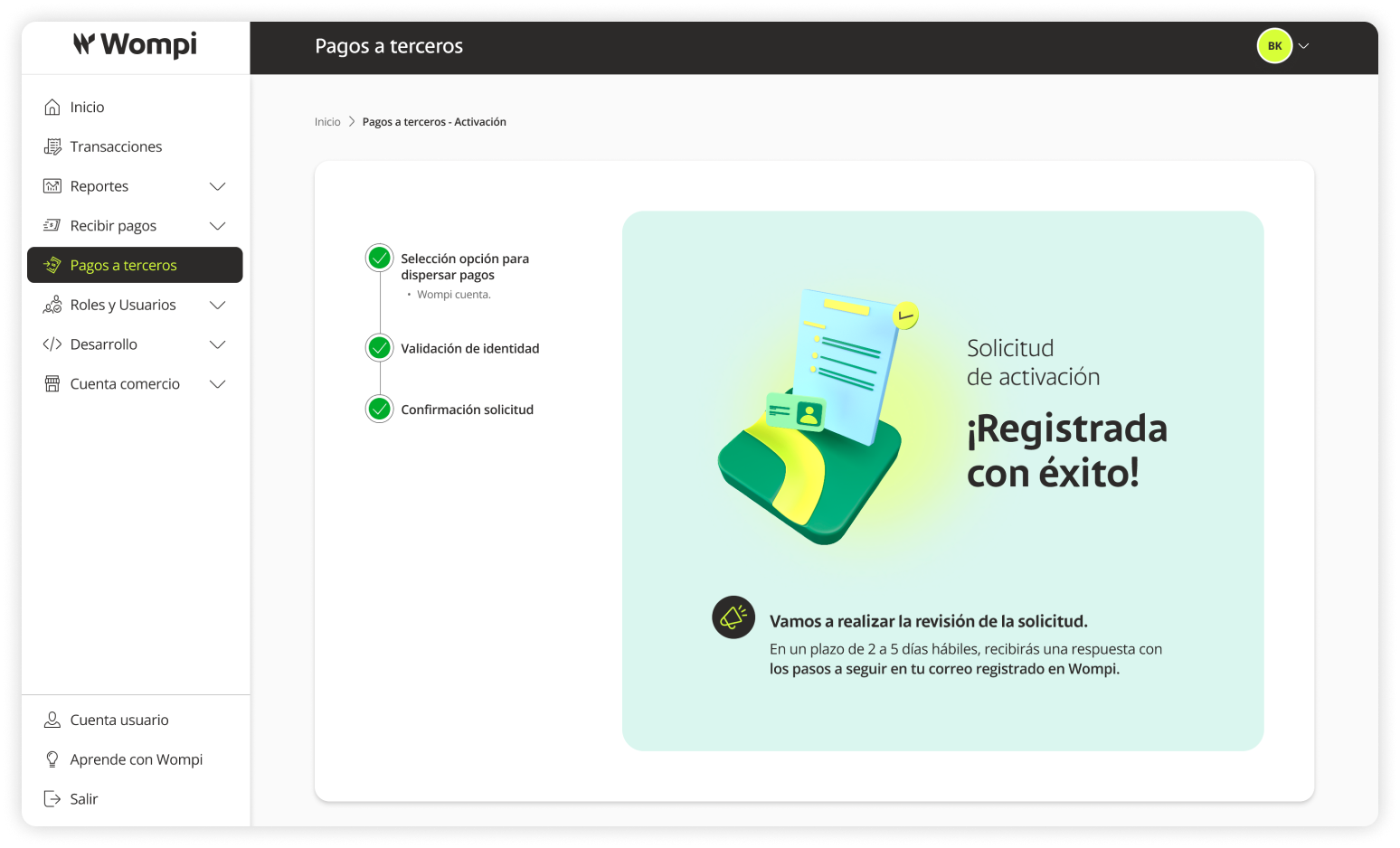
Activation Request
Wompi's solution to manage your payments quickly and reliably, whether to one or multiple recipients, and to any bank account.
Required Permissions
- The process must be carried out by the legal representative.
 When accessing the Wompi dashboard, select Payouts from the left menu.
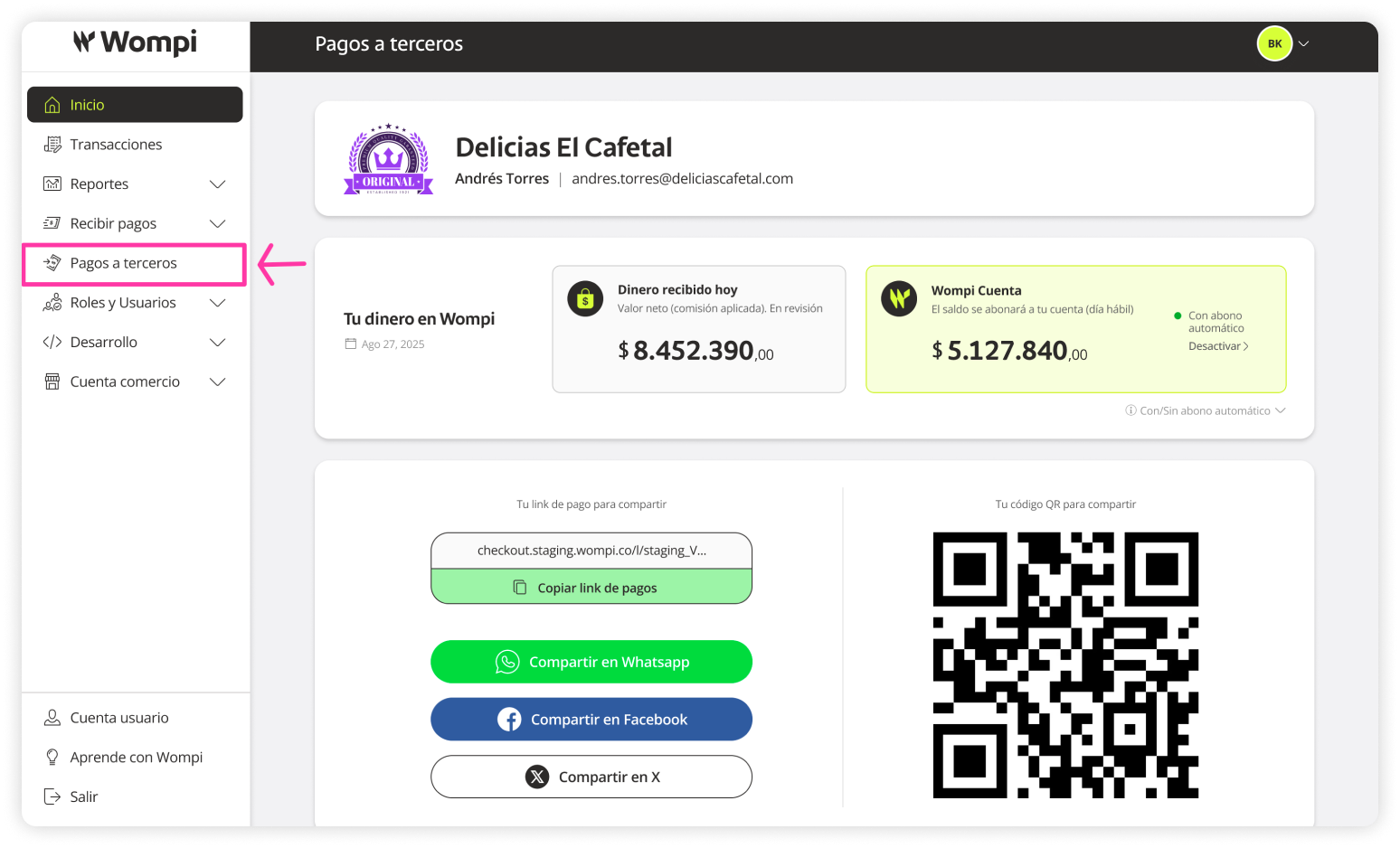
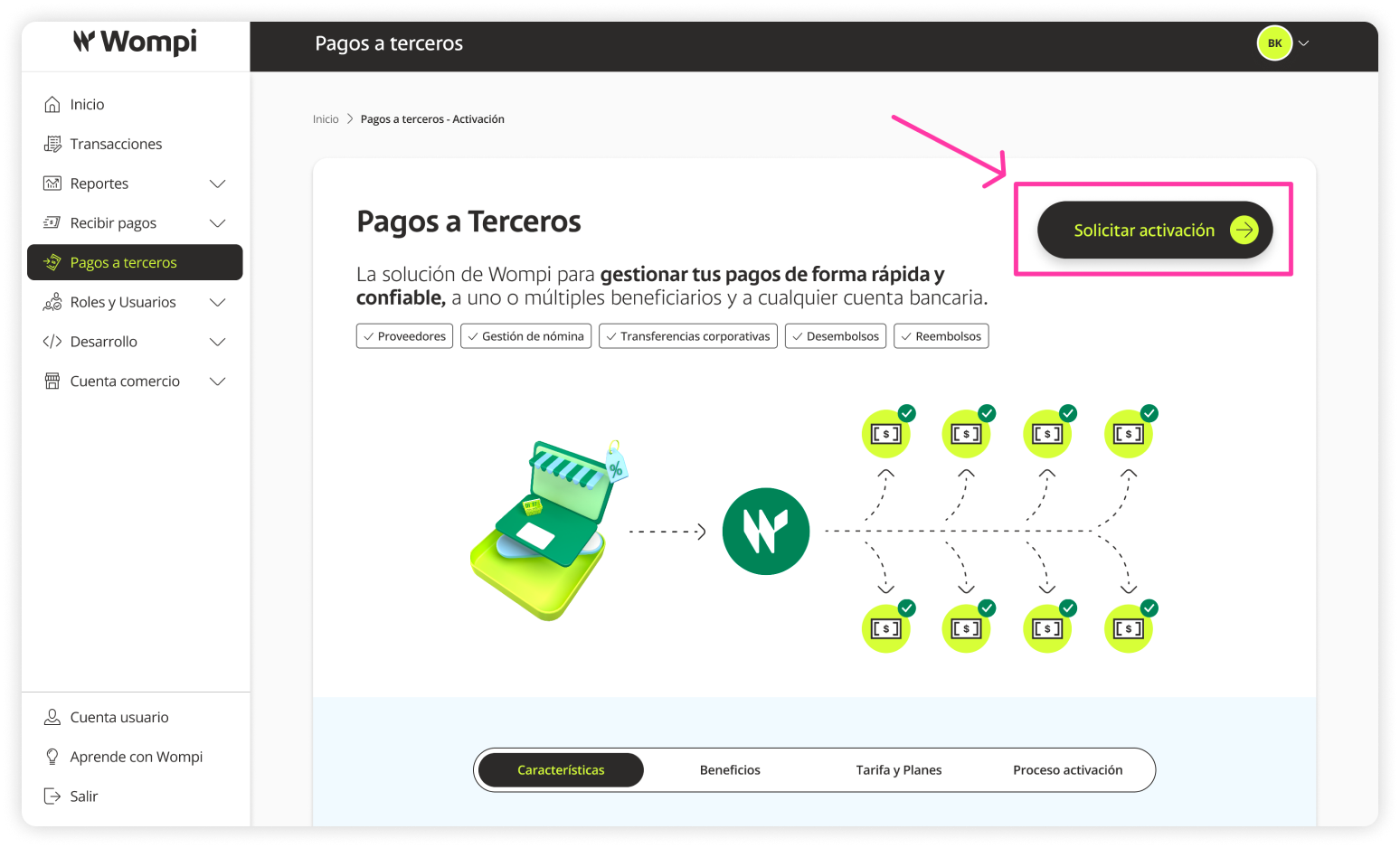
 In the Payouts section, you'll find all relevant information about the service, such as: Features, Benefits, Rates/Plans, and Activation Process.
Use the various buttons inviting you to Request Activation of Payouts.
 Choose how you want to disperse your payments. Select the option that best suits your needs. You can use only the Wompi Account or combine it with Bancolombia Accounts via exclusive plans.
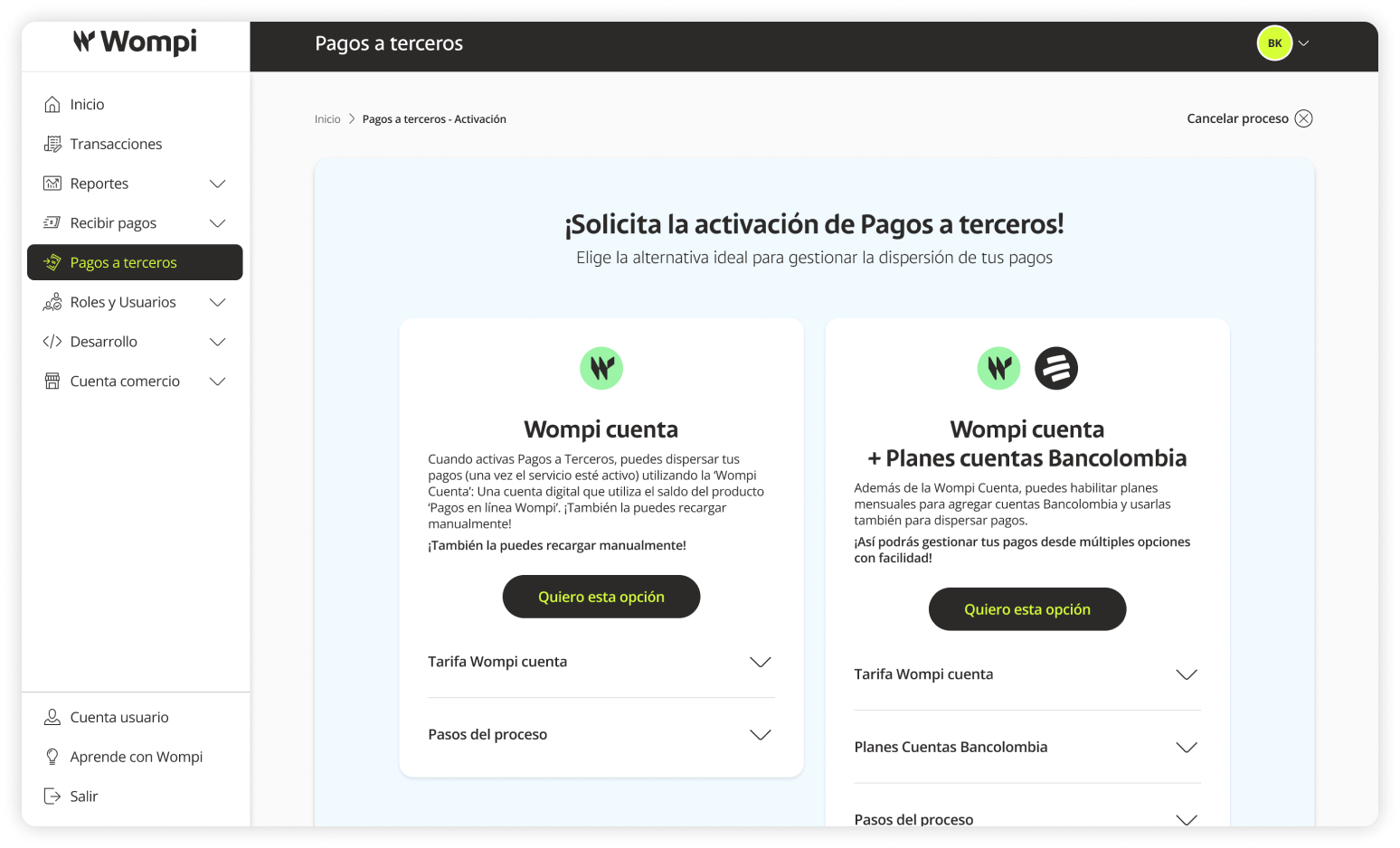
- Wompi Account: Once activated, you can disperse payments using the Wompi Account — a digital account that uses your Wompi Online Payments balance. You can also recharge it manually!

- Wompi Account + Bancolombia Accounts: In addition to the Wompi Account, you can enable exclusive plans that allow linking Bancolombia accounts, giving you more flexibility in managing your payments.
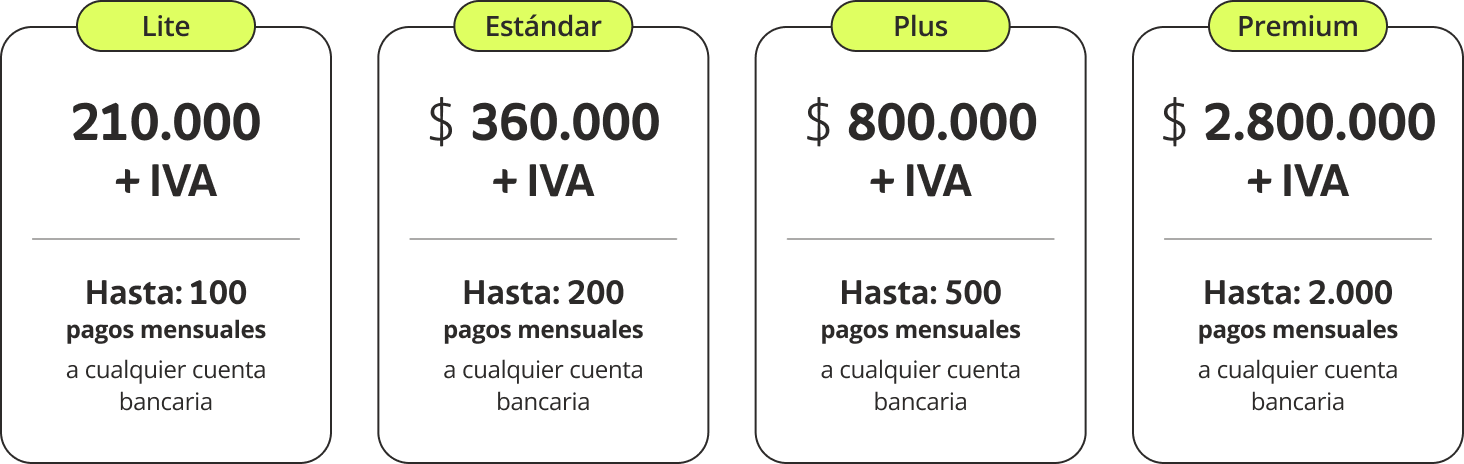
If you choose Wompi Account
You’ll only need to verify your identity (Legal Representative)
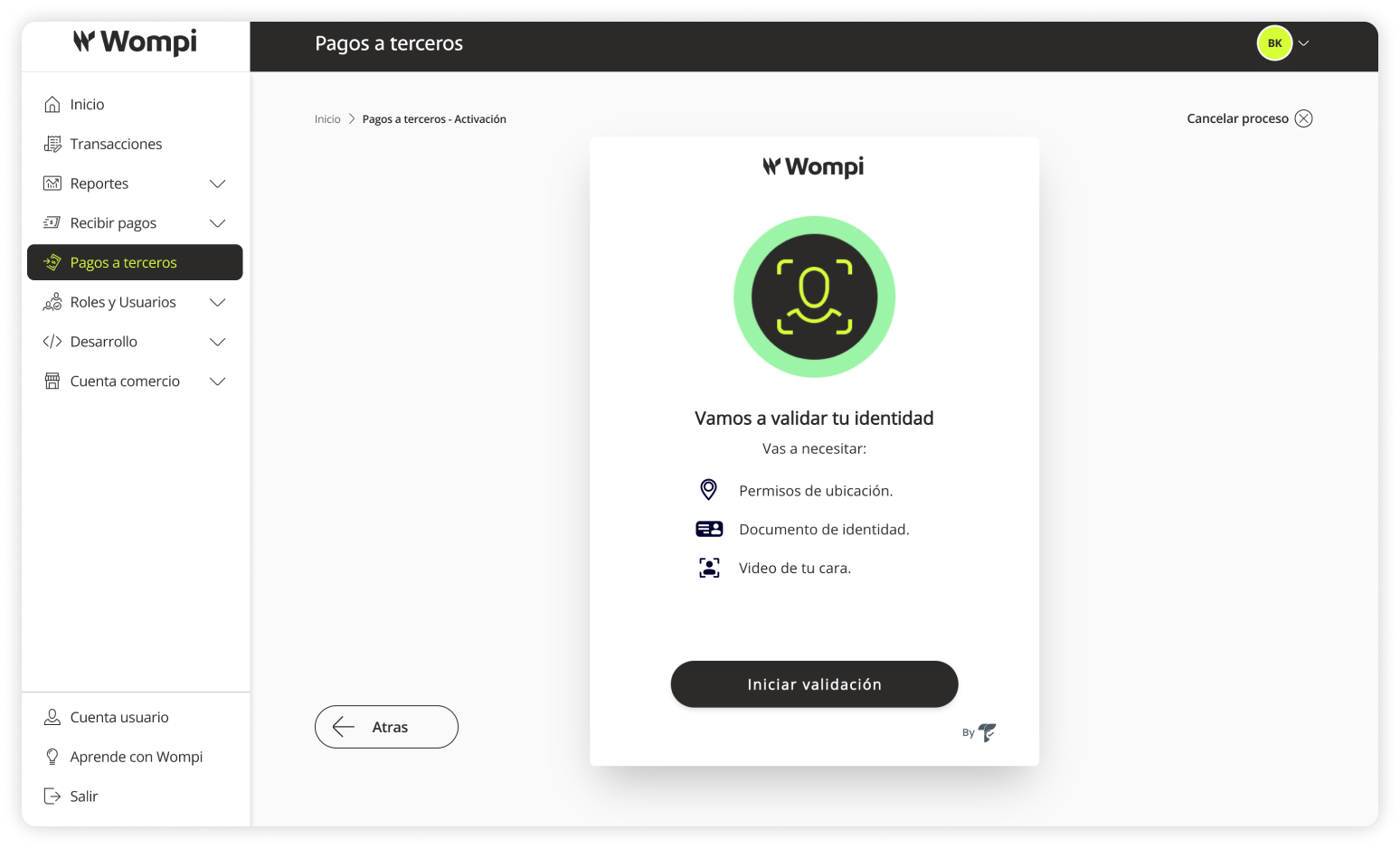
During the verification, you’ll need:
- To authorize required terms and permissions.
- To enable location services on your device.
- To select your type of identification.
- To take photos of your ID (front and back).
- To record a short video for biometric verification.
You’ll receive a confirmation message regarding your activation request. We’ll notify you when the service is enabled and ready to use.