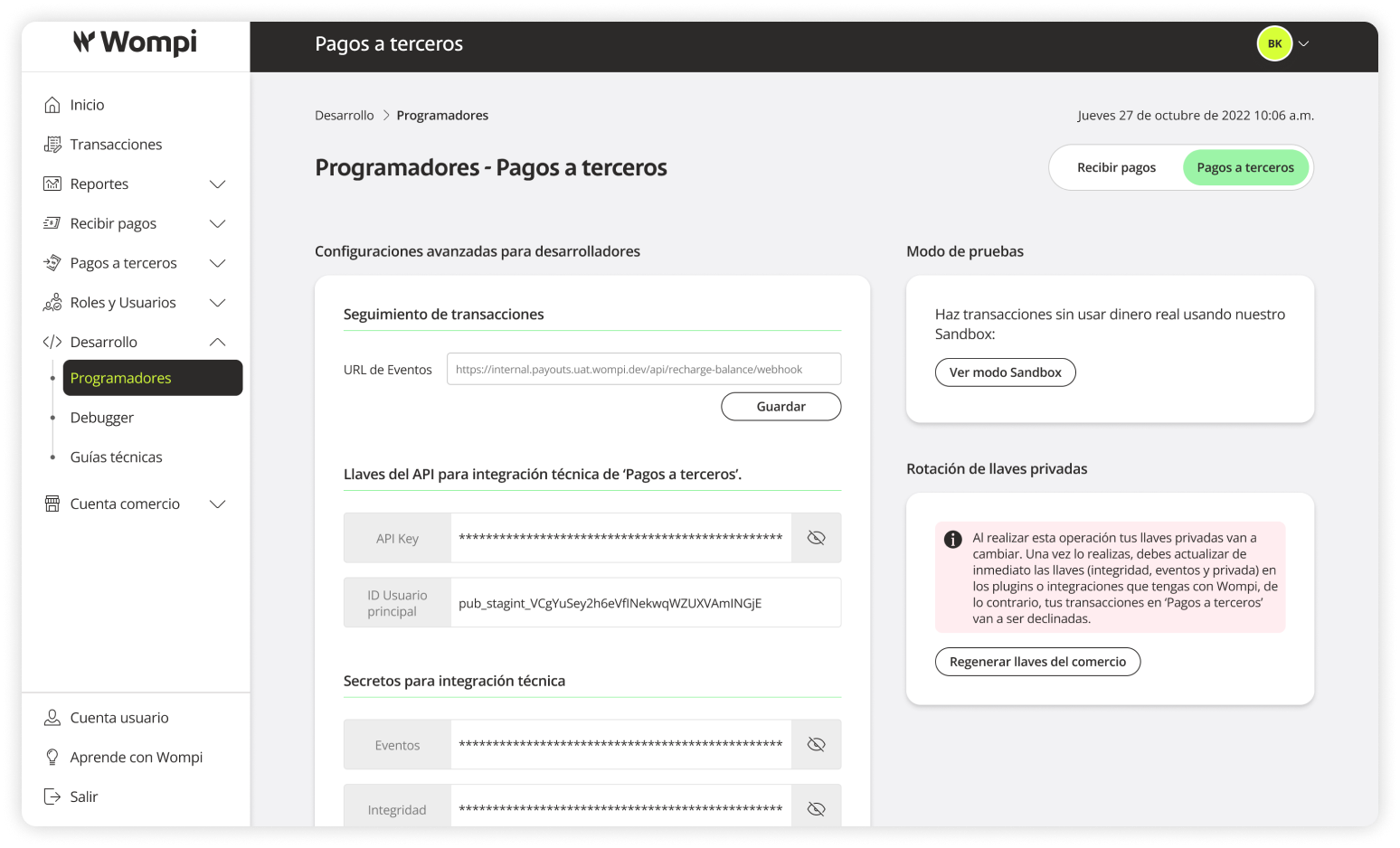
Sandbox Testing
This is the testing environment, which you can use to simulate transactions and results. Its use is recommended while developing the integration and running tests on your local or staging servers.
Required Permissions
- You must have a SuperAdmin role or a role with access to the Development section.
See more information about Environments and Keys
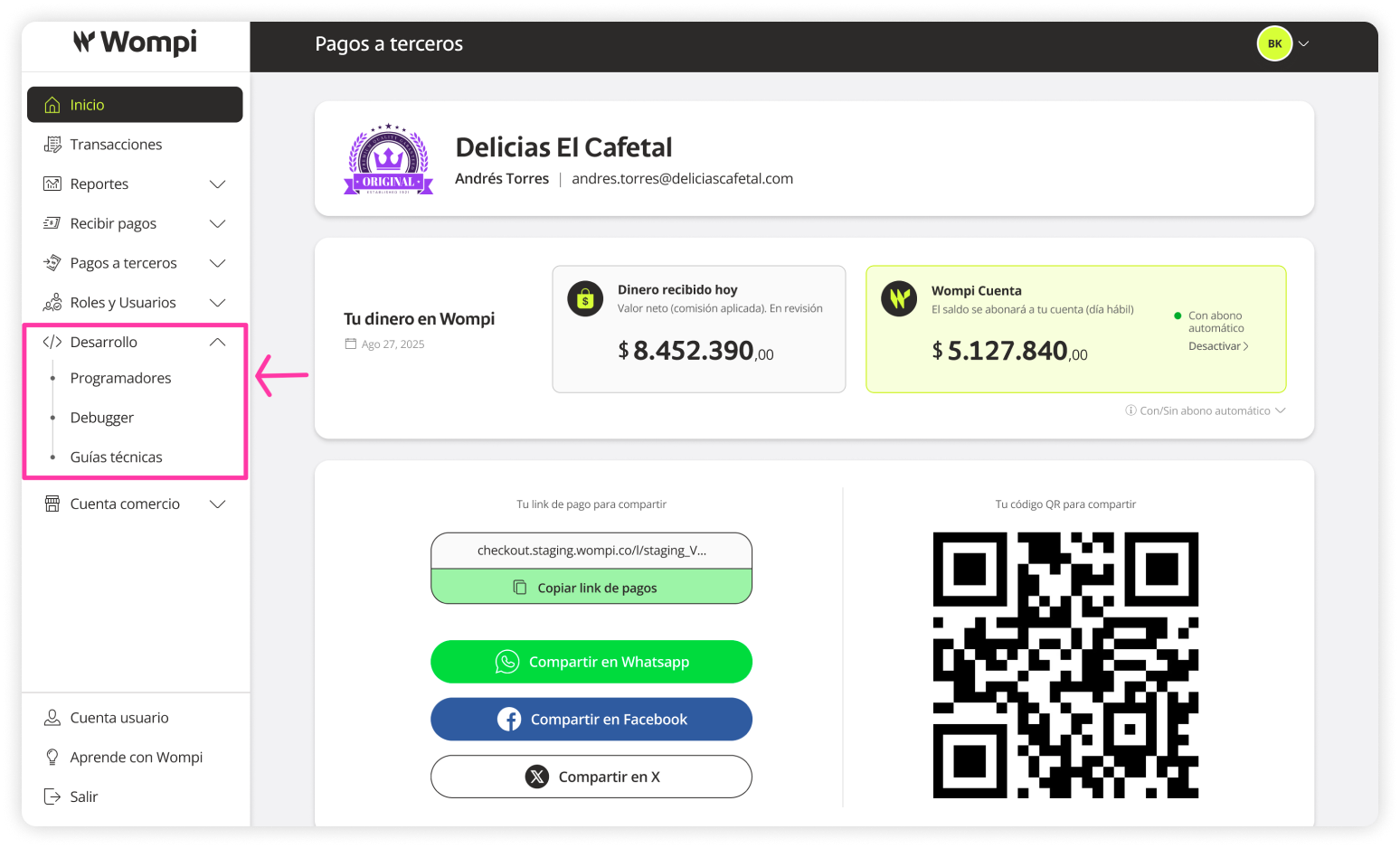
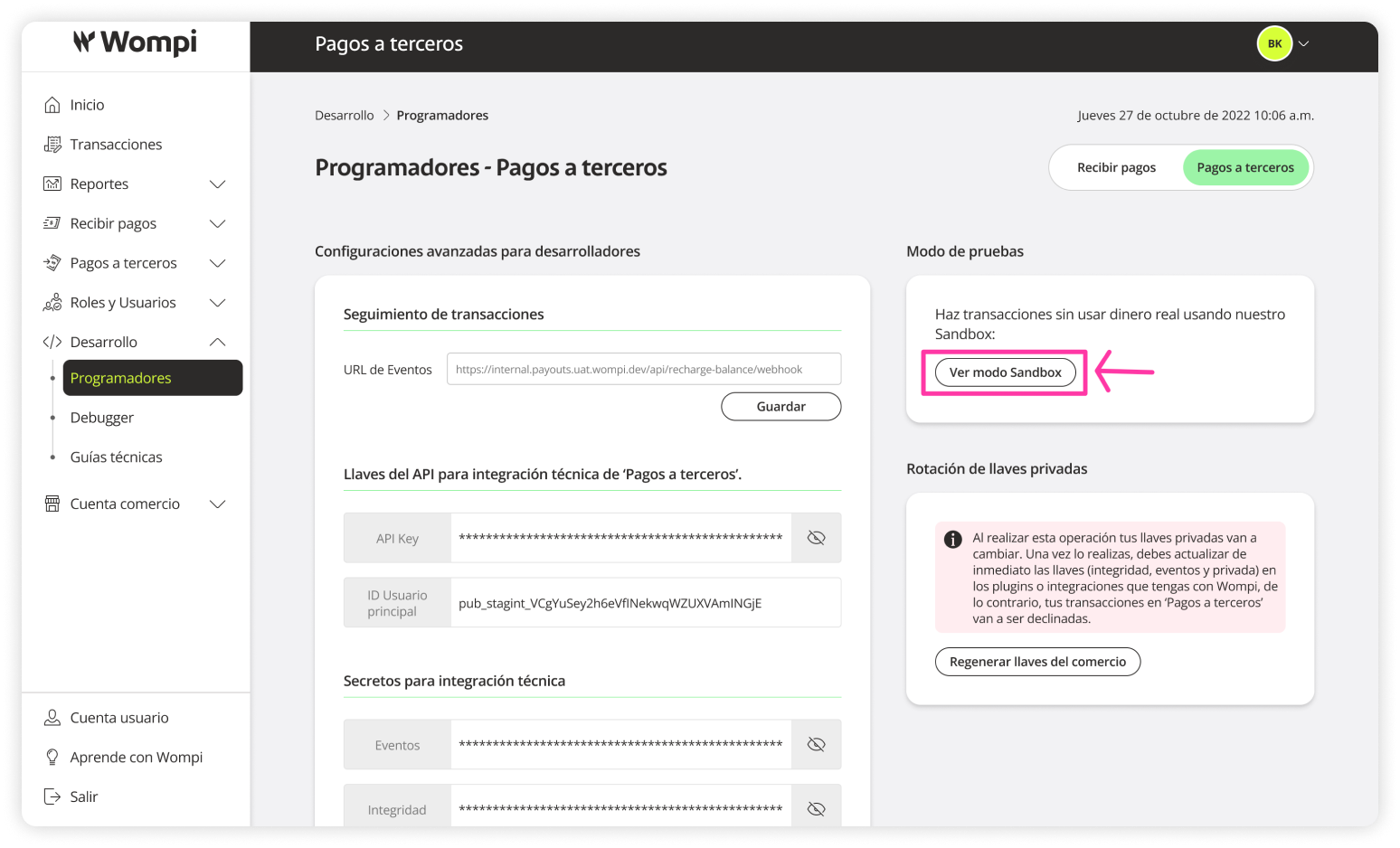
 Once inside the Wompi dashboard, expand the Development button in the left menu and select the Developers option.
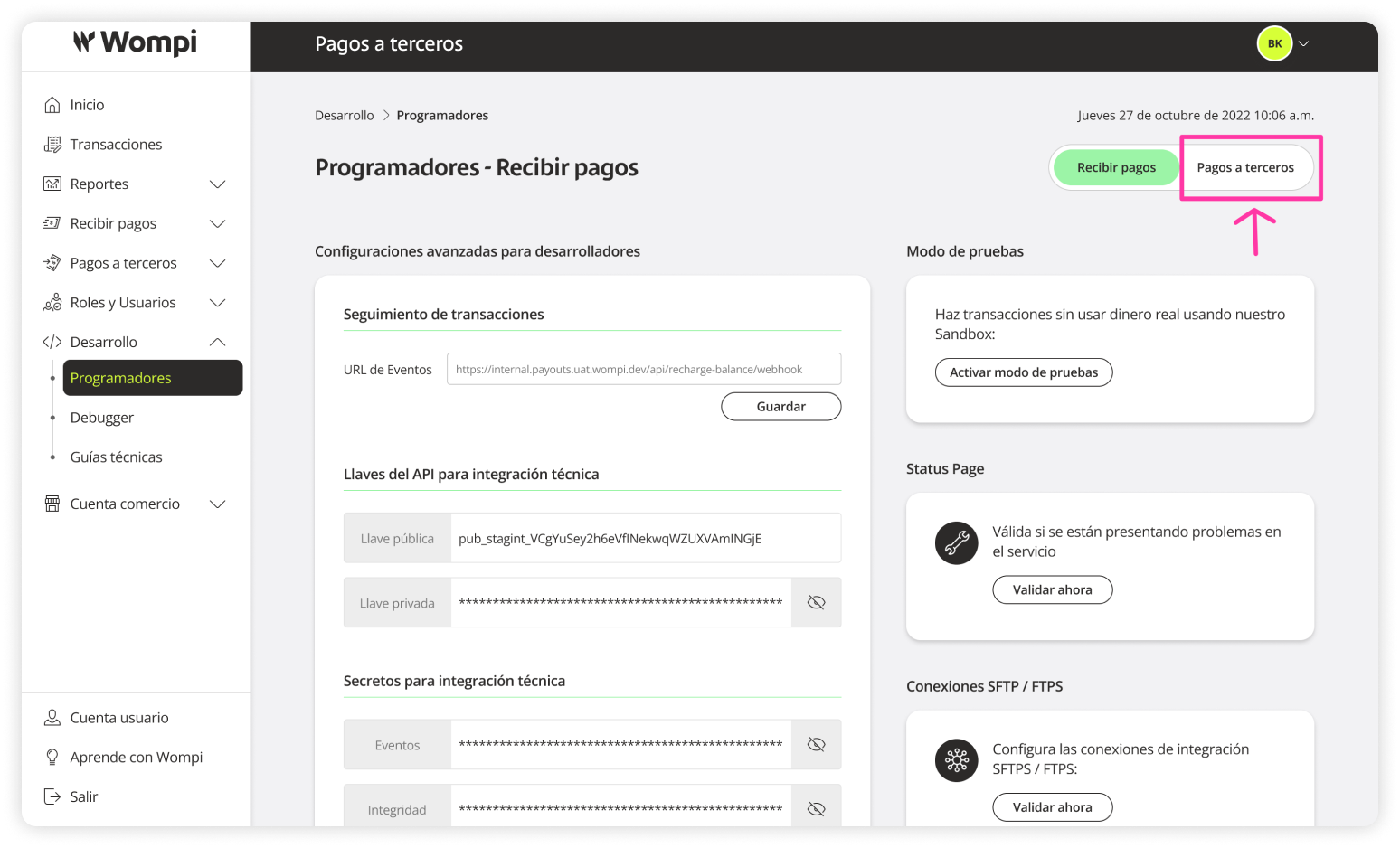
 In the Development > Developers section, click on Payouts in the top right buttons.
 In the Developers > Payouts section, you’ll find the following modules and actions:
- Advanced developer settings: transaction tracking, API keys for technical integration of ‘Payouts’, secrets for technical integration.
- Sandbox mode.
- Private key rotation.
Check the following links to understand how to perform a technical integration:
Documentation and Integration Guides
API Reference
Environments and Keys
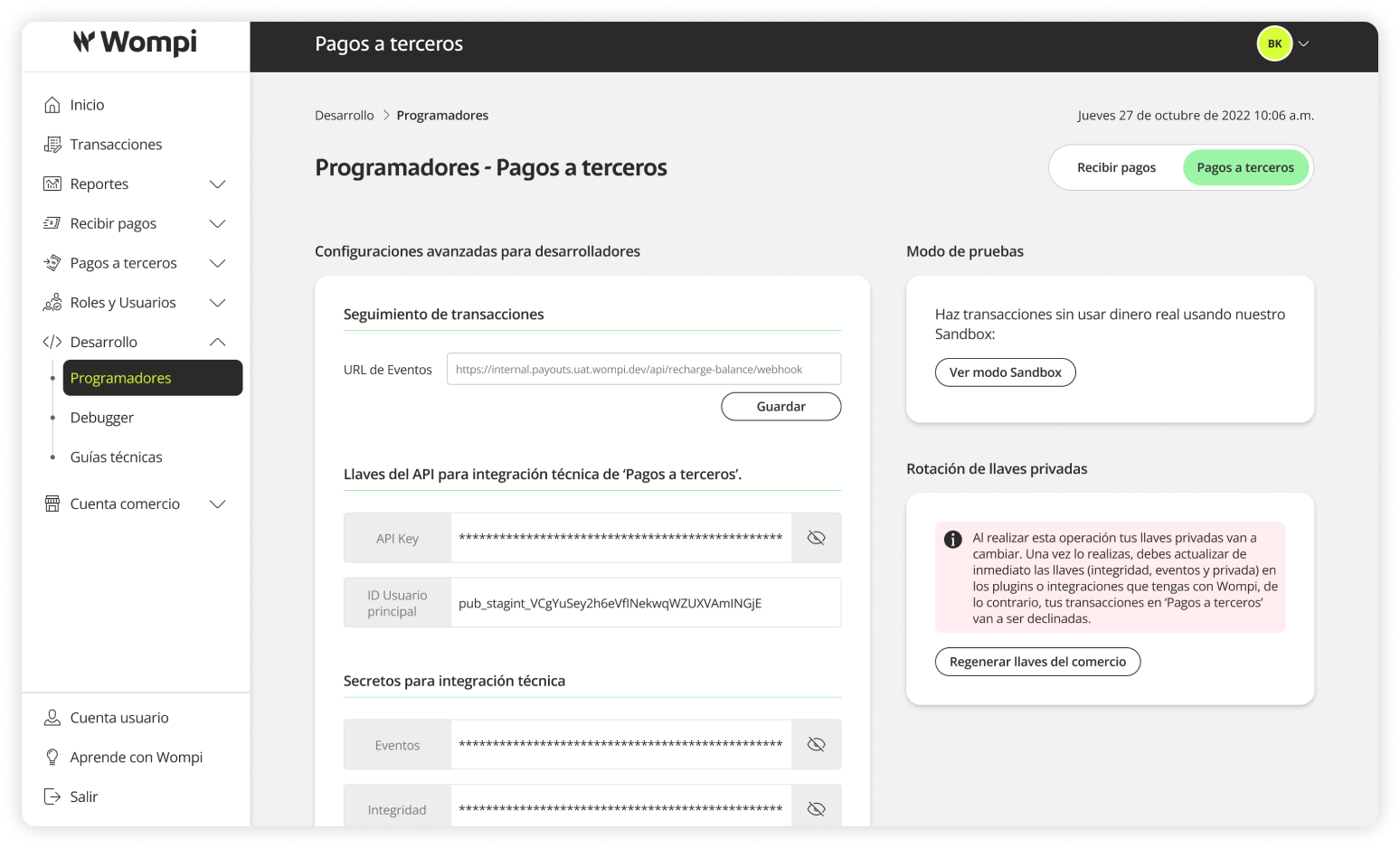
 If needed, in the Sandbox Mode module, click View Sandbox Mode to activate it.
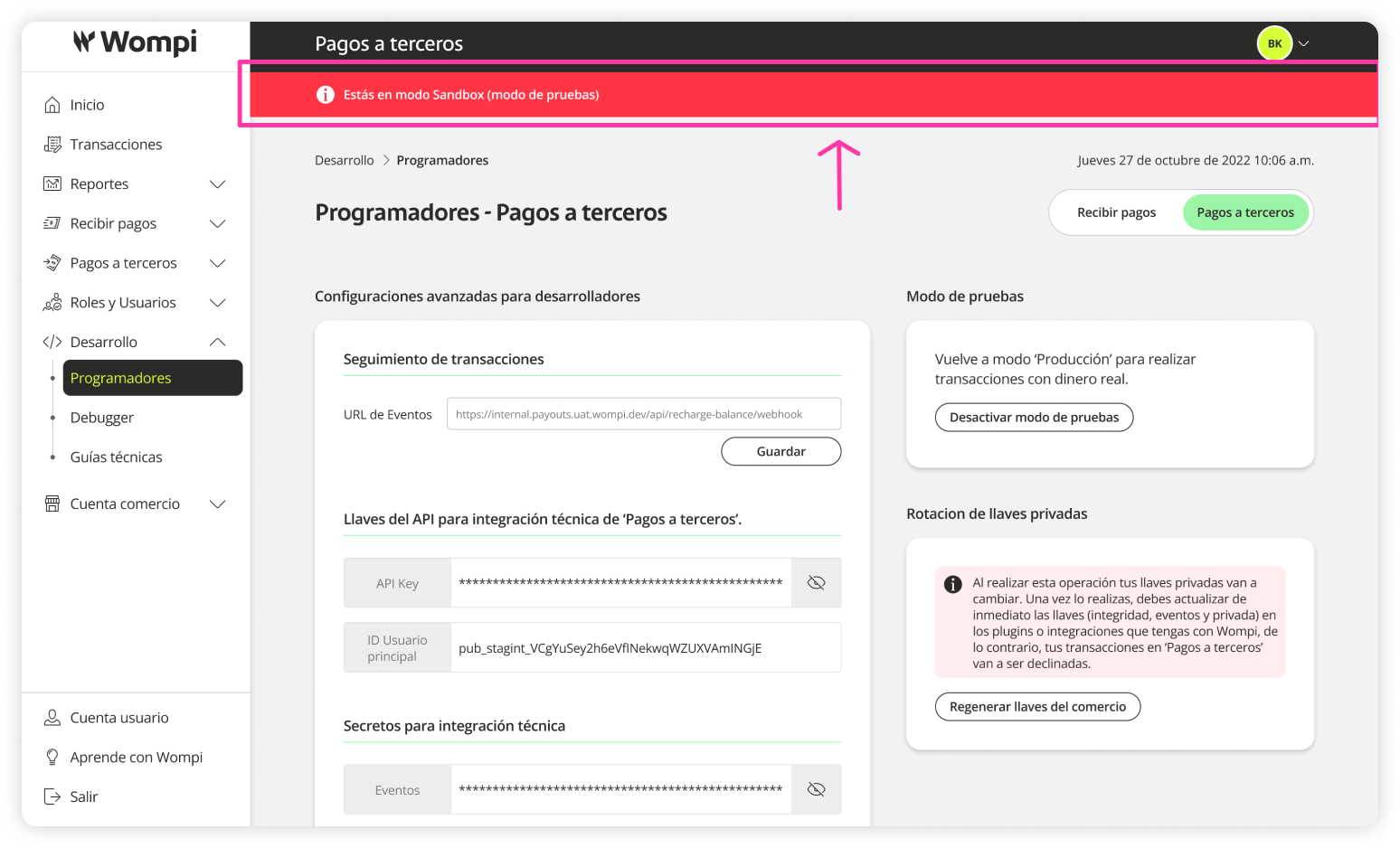
 When Sandbox mode is active, a red bar at the top will indicate it.
 To deactivate Sandbox mode, go to the Sandbox Mode module and click Deactivate Sandbox Mode.
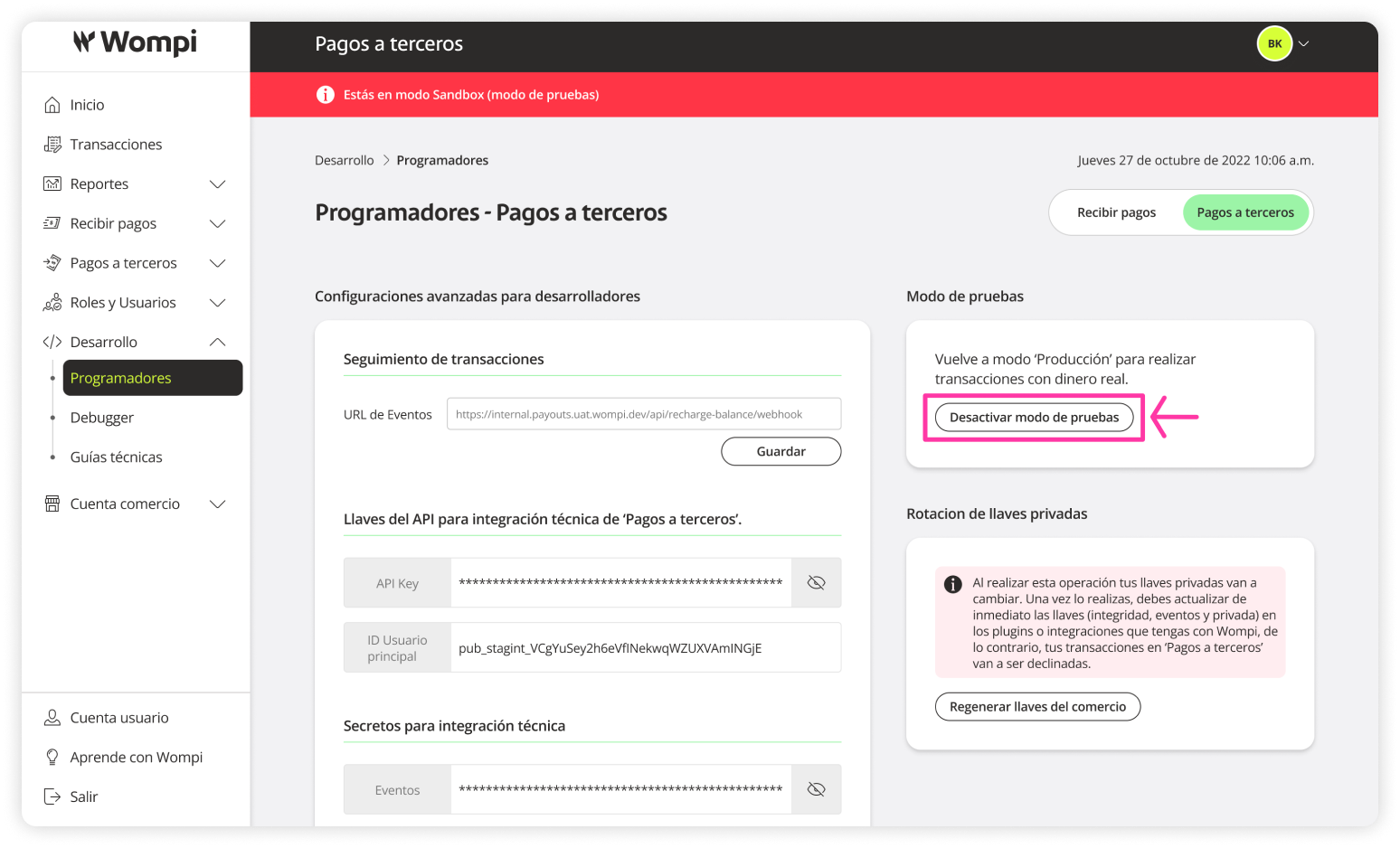
 You will be returned to the Production environment and the red bar will disappear.