Shopify
¡Accept payments in your Shopify store just in seconds!

Features
Integrate the Wompi's Widget and accept payments with any of the methods available for your commerce.
Installation
-
Click in the following link to sign in and choose your commerce.
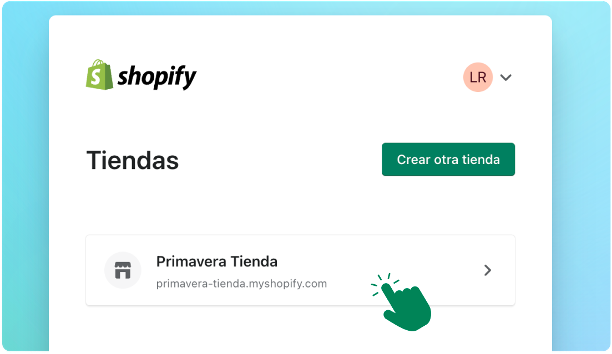
-
It will open the configuration to add a payment method, by default will bring Wompi's method, then click in Connect option that you're going to visualize in the bottom right side.
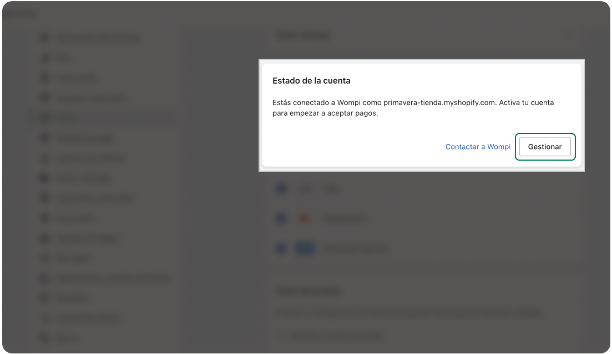
-
Click, in the Install App button located in the top part of the screen.
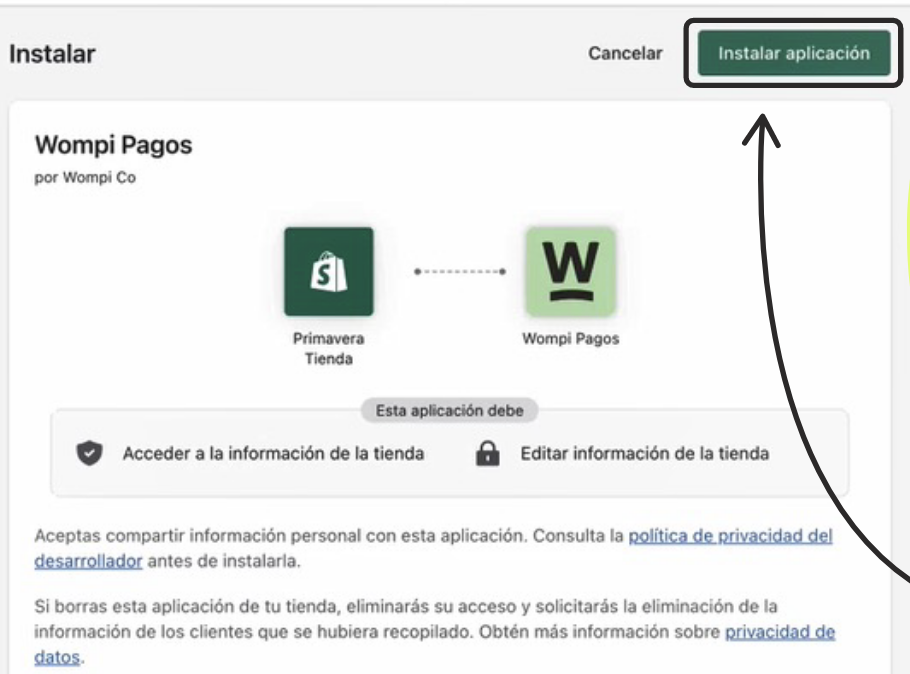
-
Now you have to go to the following link and sign in with your credentials. There you'll have to configurate the public and private keys of your eCommerce that will find in the Developers option.
- You can find these keys in the portal or Wompi's Dashboard. For the tests keys you should activate this environment.
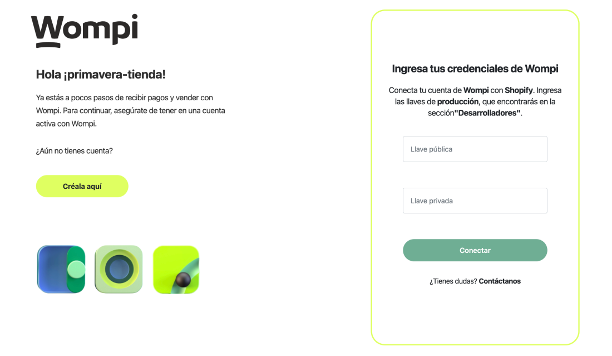
-
It'll appear a confirmation that the credentials are correct. To close the screen, click on Understood.

-
We are in Wompi's dashboard screen, where you have to put the keys private and public, this time test or sandbox, for you can use the two environments in Shopify.
- To take the tests keys, you must enter to the same "Developers" option, but enabling the "activate the test mode" button.
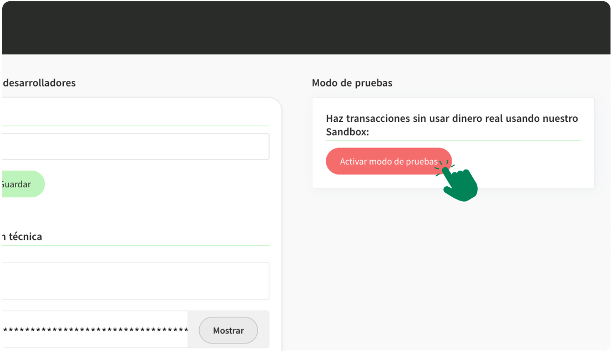
-
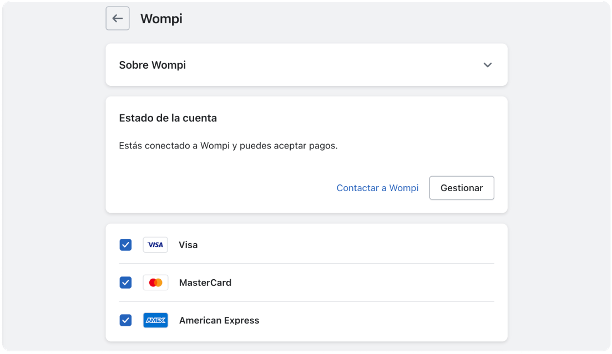
You'll back to the configuration Shopify screen. Click on the "Activate" button.
- Only the logos of some enabled media will be displayed. But when accessed our checkout, you can see all the media that you have enabled in your Wompi account.
Test Mode
-
You can also enable the test mode, we just have to enable the test mode at the bottom of this screen, then we click on the Activate Wompi option.

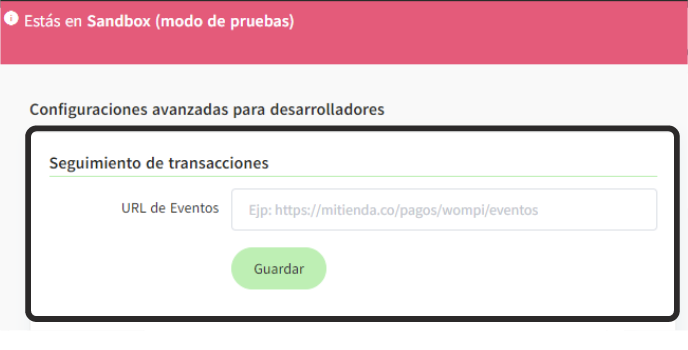
Configurate the following URL
-
In the Commerces' Dashboard or Wompi portal, clicking in the Developers option.
- Direct link
- Remember to do it also in test mode in the button Activate test mode

Instructions for use
-
Sign in to your eCommerce
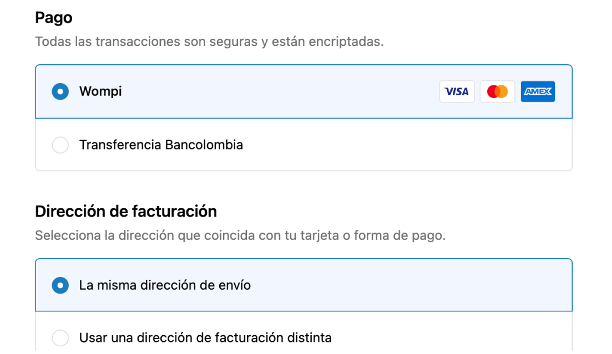
- Sign in to your eCommerce and start to make transactions, here you'll be able to visualize Wompi's option.
-
Wompi's Option
- Selecting Wompi's option and clicking in Pay button will take you to the checkout. Follow the point 9 instructions if you want to enable or exchange between the test mode or productive mode.
Verification
-
You can verify the status of your orders in both platforms: Wompi and Shopify.
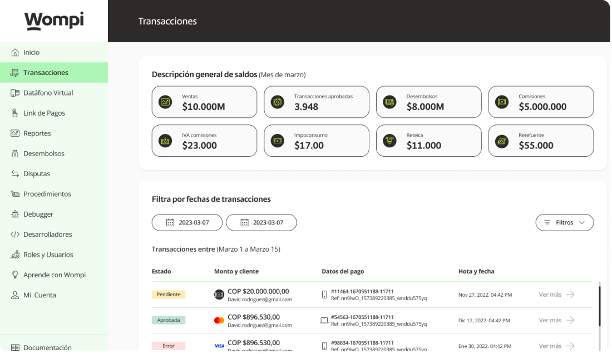
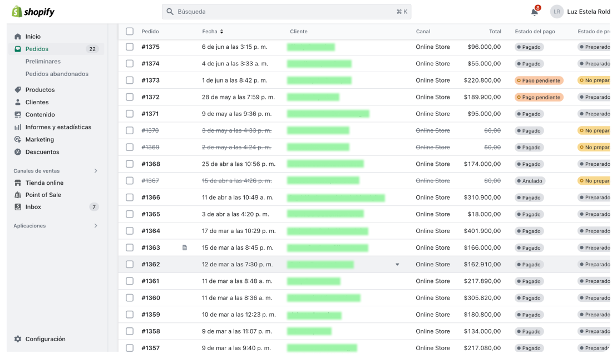
And that's it! you're ready to start to sell and get your payments with Wompi and Shopify.
License
This plugin is offered and distributed under the license LGPL 3.0
