One-time Report
You can create a one-time report, you can customize it by giving it a periodicity and information that suits you best.
Required permissions
- Be the owner of the business account (by default you already have a 'SuperAdmin' role).
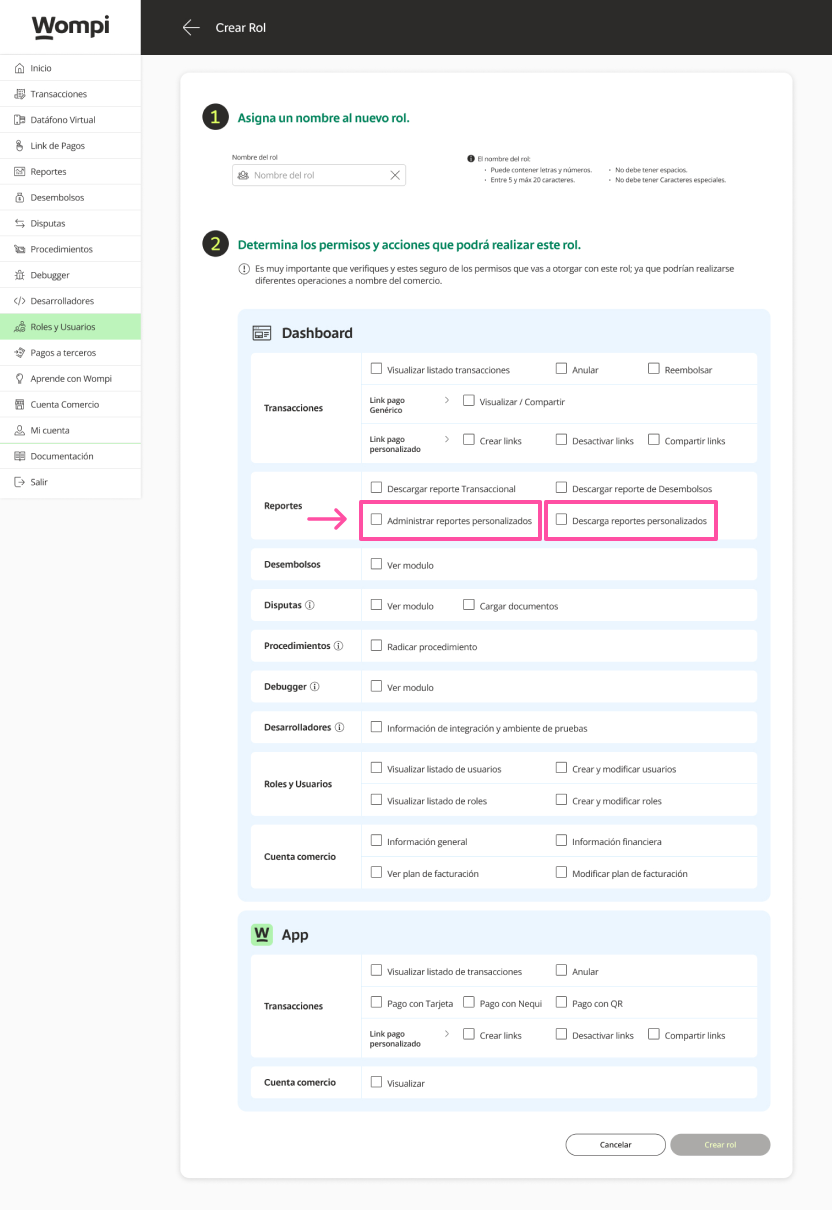
- Be a user who is assigned a role with 'Manage custom reports and Download reports' permissions.

To give permissions to a new user to the reporting, you have to take into account when creating roles and users, check the option in reports ("manage custom reports" and if you want them to be able to download them check the "download reports" option), so that this new user can have these functionalities.
One-time report creation

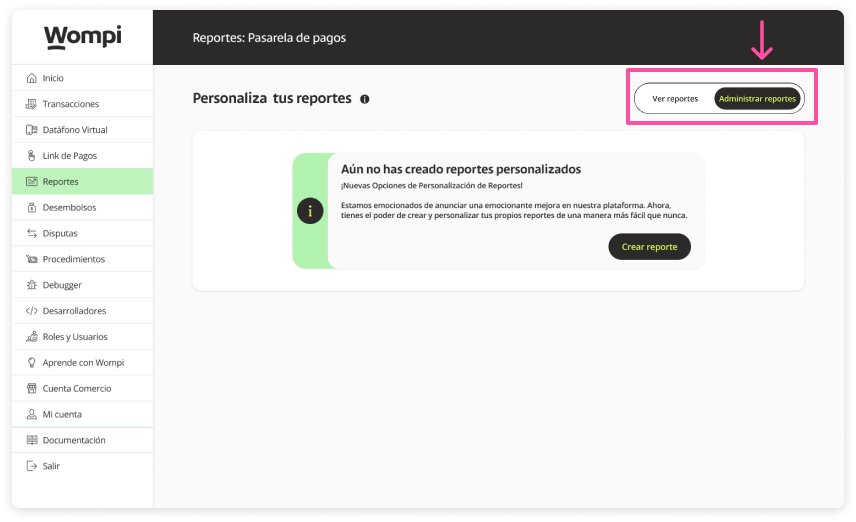
In the Reports section, go to the Create reports section.

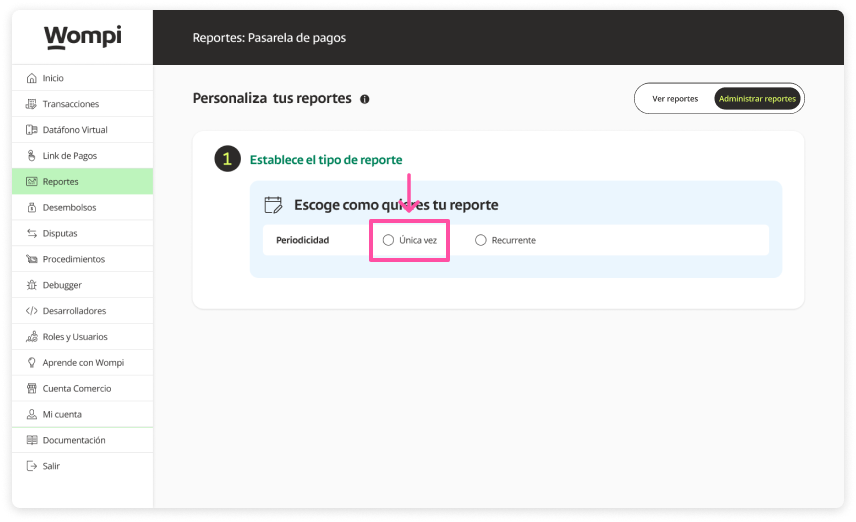
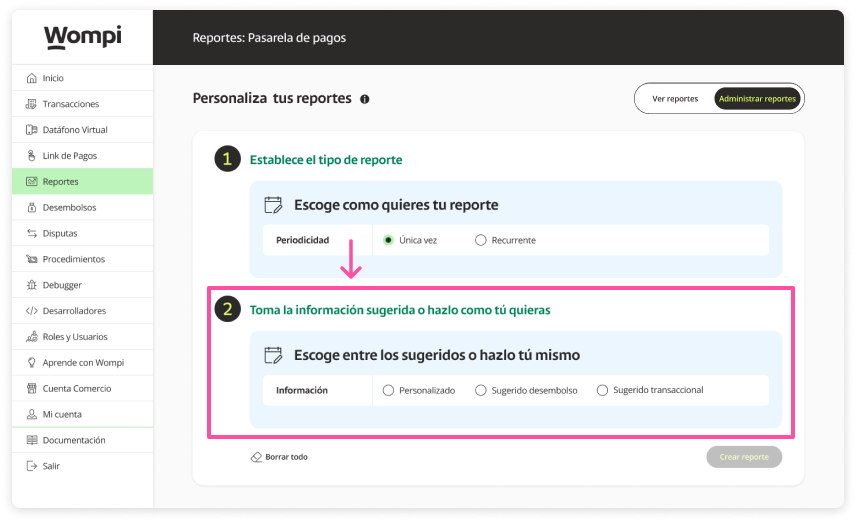
Select the 'One-time' option.

You will be enabled (step 2), where you can select the information. You will have the option to personalize it yourself or select the suggested disbursement / suggested transactional.

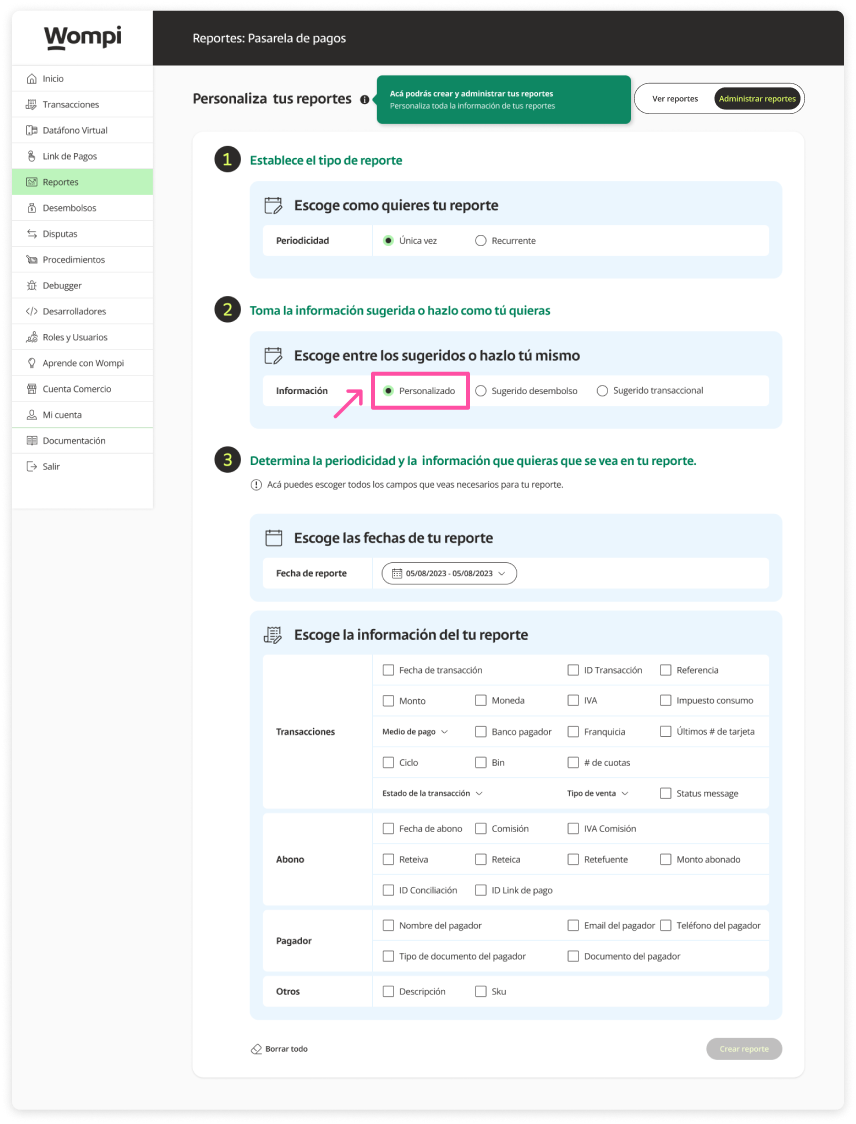
If you select the custom option, the fields will be enabled for you to choose the date and the information you want to receive in the report.

Keep in mind: If you select a suggested one, the information that you will receive in the report will be automatically marked.

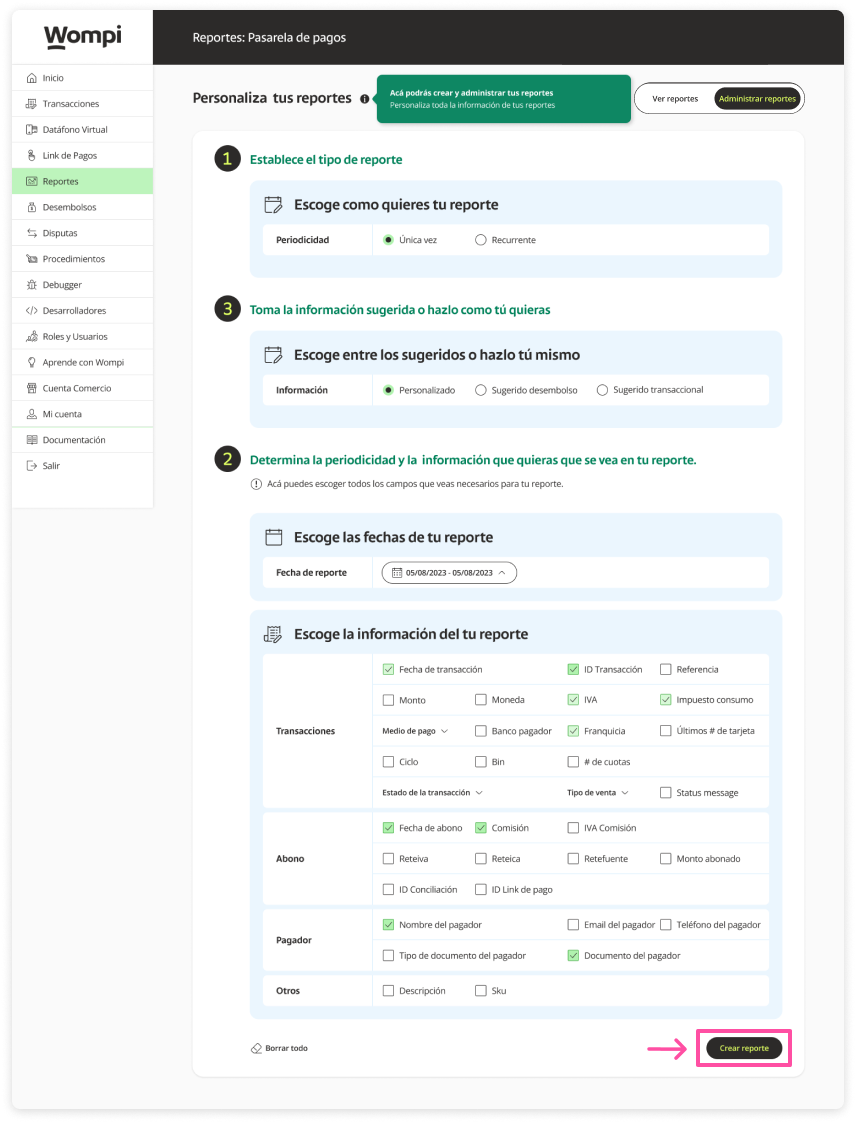
Once the fields with the information have been selected, click on the 'Create report' button.

Subsequently, a message will appear confirming the creation of the report.
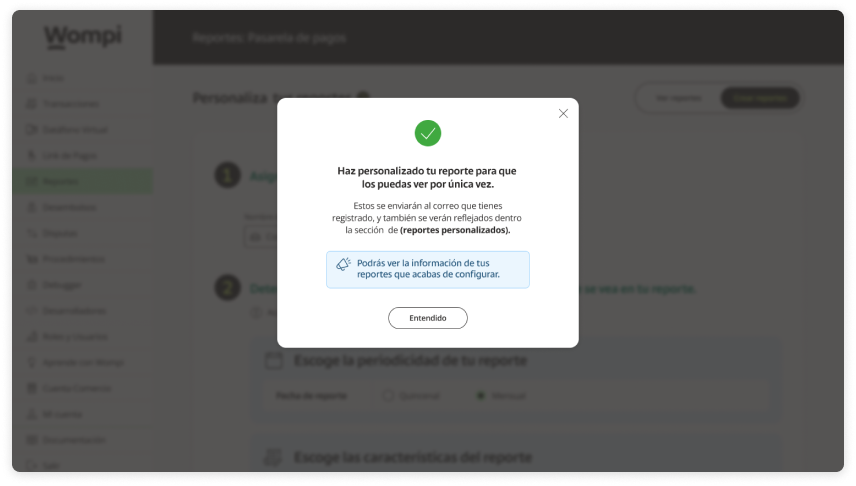

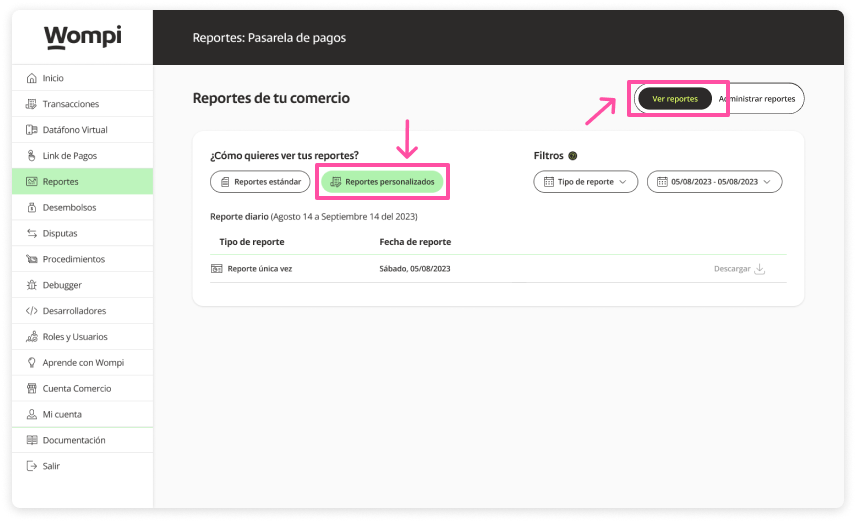
You will be able to see the created report in the list of the 'View reports' / 'Custom reports' section and it will be available when you want to review it.