Payments to third parties
Create a user
You can add and manage users who will be able to access and use the business account depending on the assigned role
Required Permissions
- Be the owner of the business account (by default, you already have a ‘SuperAdmin’ role).
- Be a user who is assigned to a role with ‘Create and modify users’ permissions.
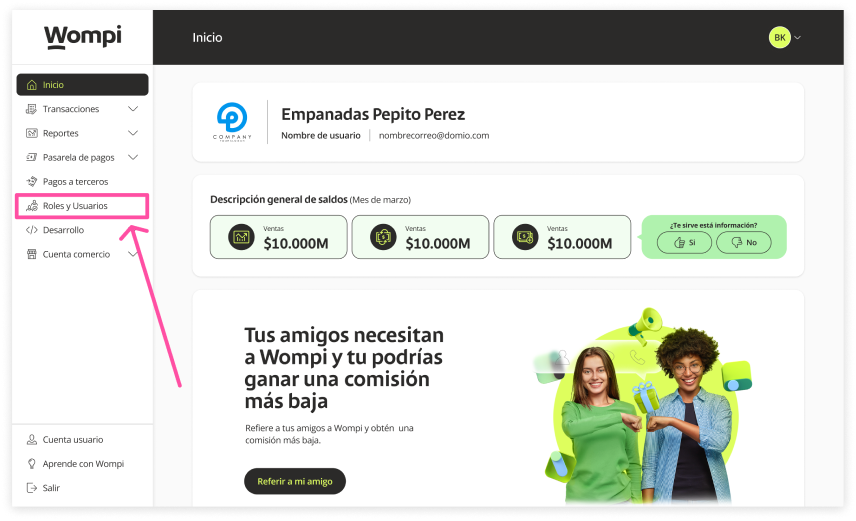
 When you enter the Wompi Dashboard, click on the "Roles and Users" button on the left menu.
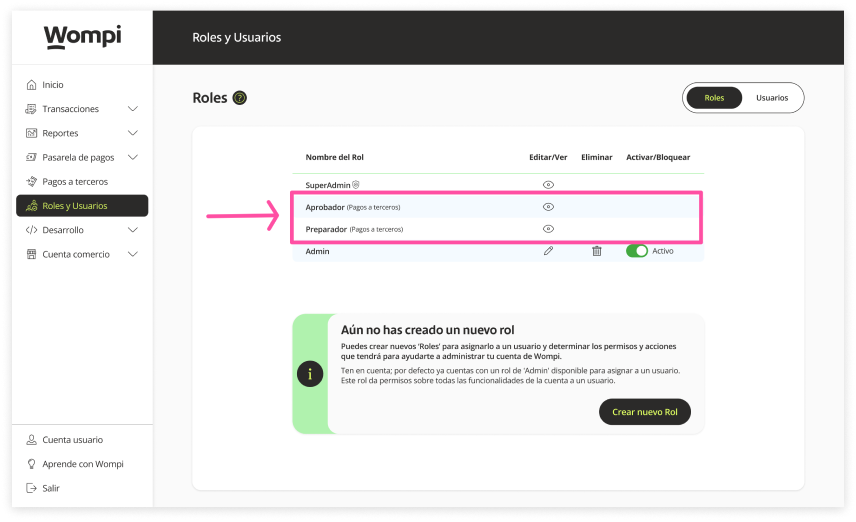
 When you enter the ‘Roles and users’ section, you will initially see the ‘Roles section. There you will be able to see the roles ‘PaymentToThirdPartiesApprover’ and ‘PaymentToThirdPartiesPreparer’ already created, which you can assign to the user create.
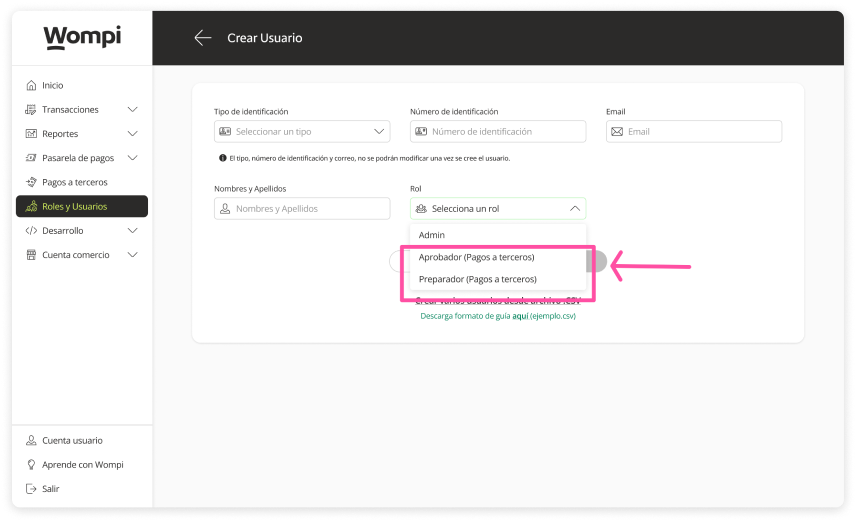
Approver Role: This one is responsible for validating and approving the payment orders created. Preparer Role: This one is responsible for creating payment batches for one or more recipients.
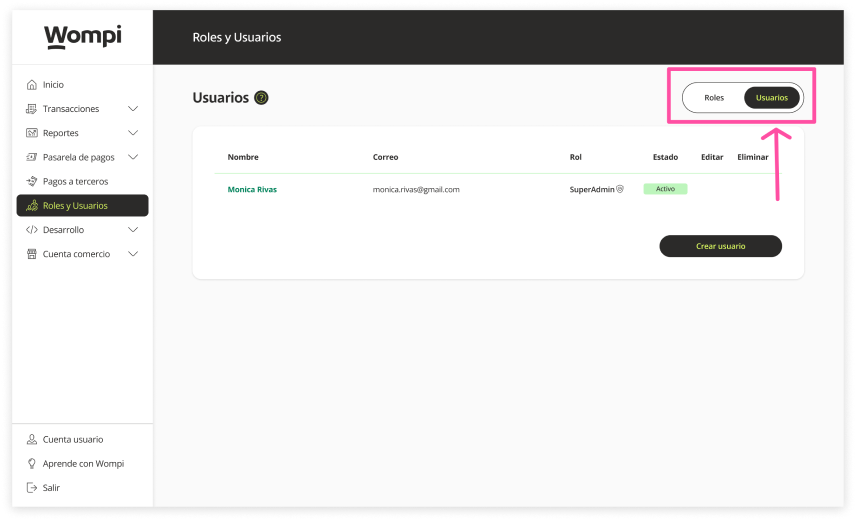
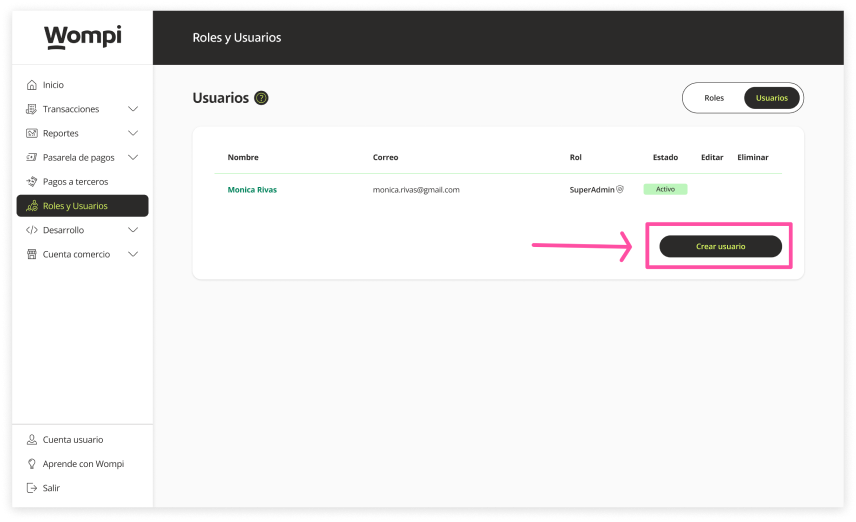
 Now, click on the ‘Users’ button to access this section.
 To create a user, click the ‘Create User’ button.
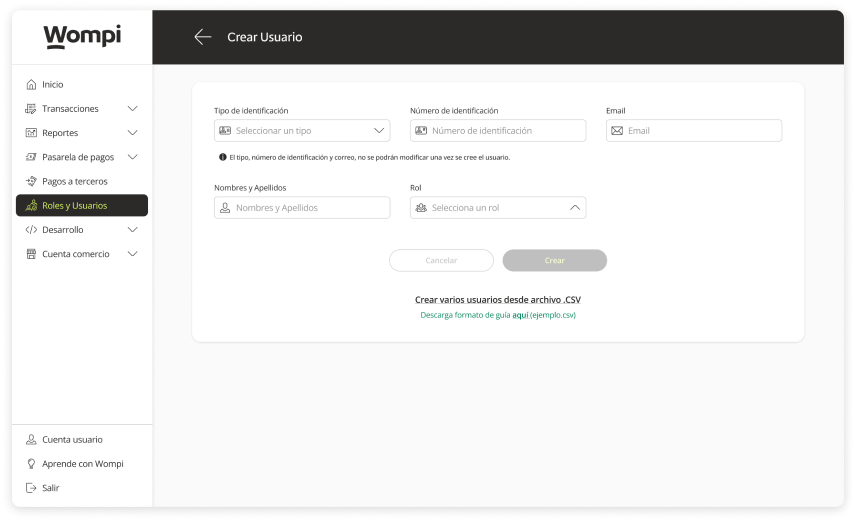
 You will need to enter the new user's information such as: Type and ID number, Email address, First and last game.
 Please note: The type, ID number and email address cannot be modified once the user is created.
In the 'Role' field, you can select and assign the role to the new user, according to your needs.
 Once ypu have entered all the information, click on the ‘Create’ button.
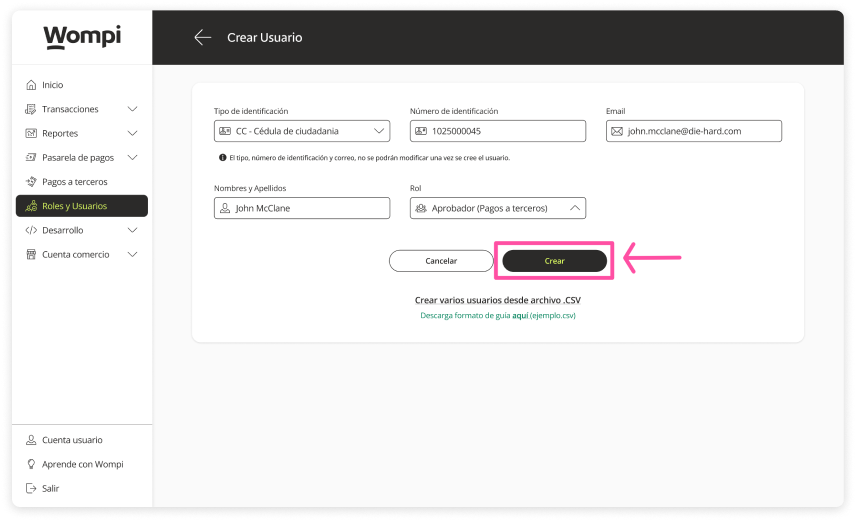
 A message will then appear confirming the creation of the user.
An email will be sent simultaneously to this new user with instructions on how to continue with their registration and activation.
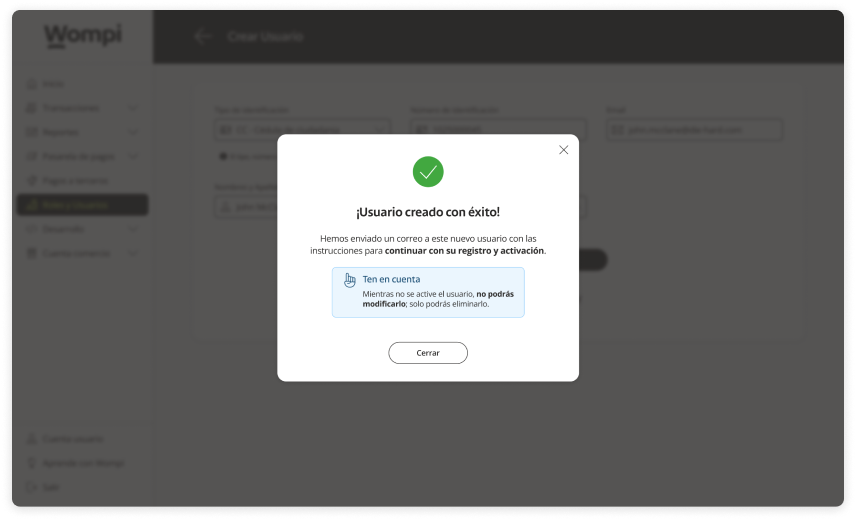
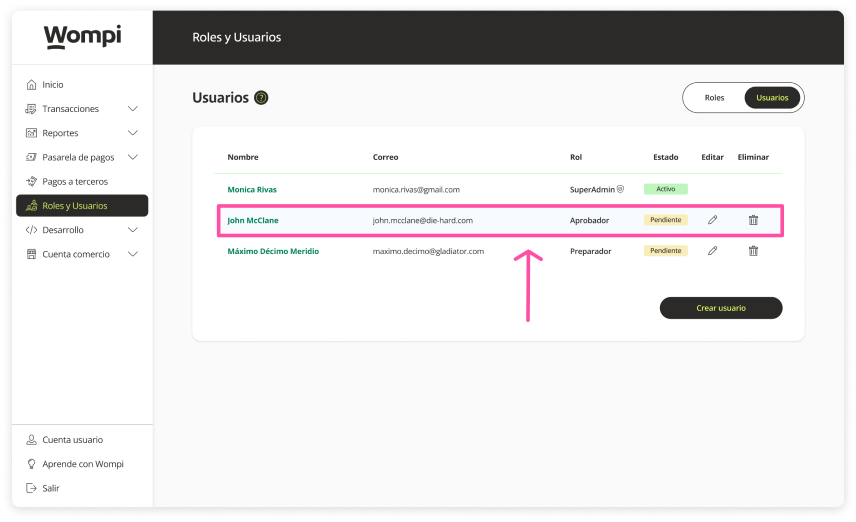
 The created user will now be available for viewing in the users section.
Please note: The new user will remain in a ‘Pending’ status until the registration is completed to be activated.